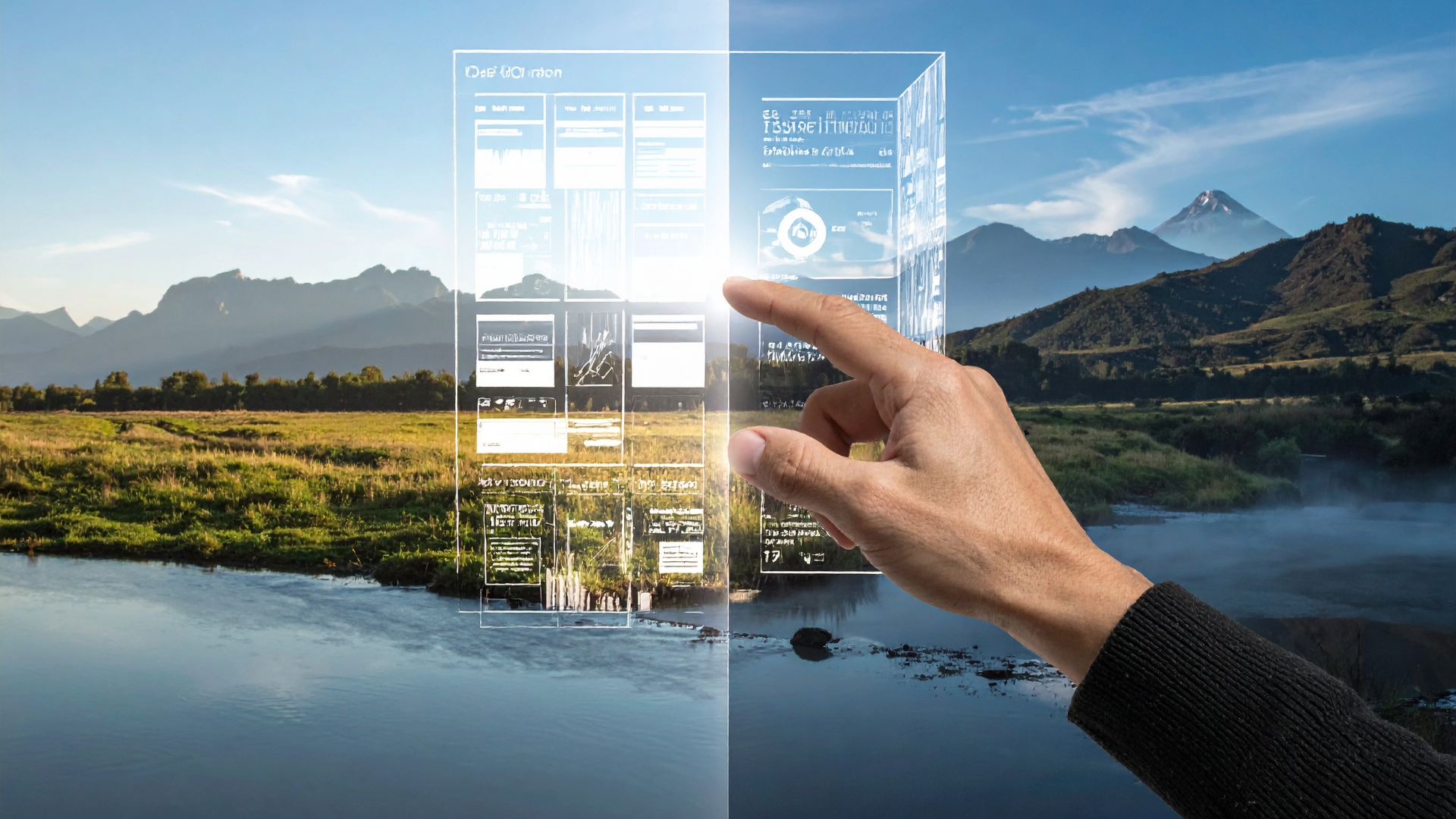
Why Editing Still Matters When Building a Website with AI

AI website builders have changed how quickly a website can go from an idea to a working first draft.

With the right prompt, businesses can now generate pages, layouts, written content and visual styles in minutes rather than starting with a blank screen.

But there is an important distinction between generating a website and finishing a website.

The first version created by an AI website builder is a starting point. Editing is what turns that starting point into a website that actually reflects a business, communicates clearly with its audience and gives visitors a reason to stay, explore and take action.

In 2026, leading AI website builders like KNOWN AI are increasingly designed around this idea.

For example, our AI website builder literally creates your customised WordPress theme based on your 2000-character prompt which describes your business and website requirements in detail.

This allows users to continue editing AI-generated websites manually or with our AI agent after the initial generation.

You have the flexibility to change layouts, specific sections on a page, colours, fonts, navigation and content.

“AI site builders take users from a prompt to an editable website that can then be refined and customised.” – Webflow.

So, if AI can build a website for you, why does editing still matter?

Because a generated website knows how to create a website. It does not automatically know your business.

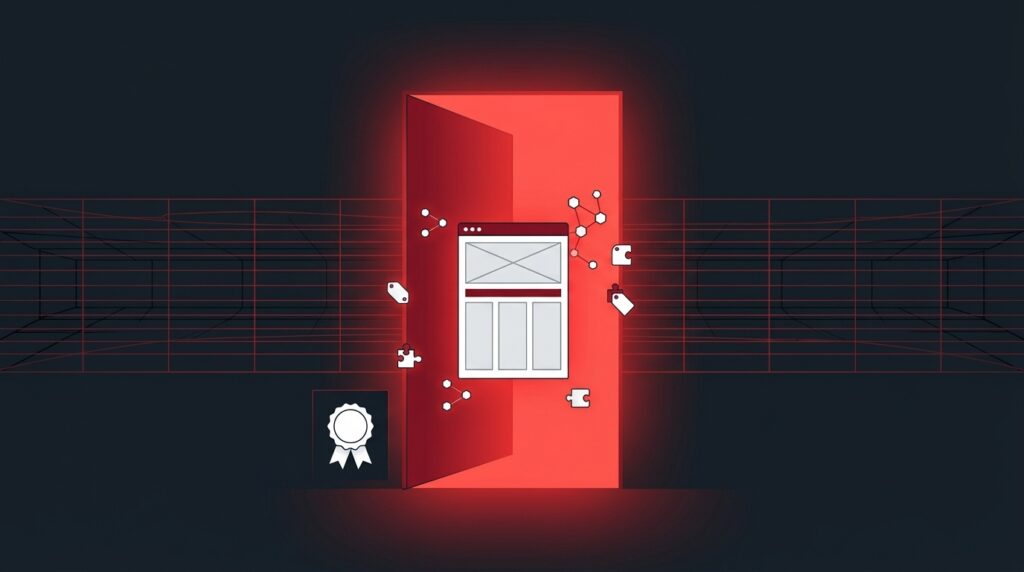
Illustration of a blank webpage transforming into a structured website layout, representing an AI website builder generating a first draft

AI Can Build a Website in Minutes – But That’s Only the Starting Point

One of the biggest advantages of an AI website builder is that it removes the intimidating blank page.

Instead of figuring out what pages a business needs, writing every section from scratch and deciding how everything should be arranged, users can describe what they want with a perfect 2000-character prompt and let KNOWN AI create an initial website structure.

That can be incredibly useful for a startup or small business owner who needs a website but does not have the time, budget or technical knowledge to build one from scratch.

However, speed does not eliminate the need for decision-making.

AI-generated content can make assumptions about a business. It may use wording that sounds polished but does not quite match the brand’s personality.

A generated homepage might include sections that are technically appropriate but unnecessary for that particular audience.

A call-to-action might sound generic, while an image could communicate the wrong impression entirely.

This is where editing becomes important.

Think of an AI-generated website as a first draft.

The first draft gets the ideas onto the page. Editing decides what stays, what changes and what needs to be added.

The same principle applies to the written text content for each section. Google says its systems are designed to reward helpful, reliable and people-first content, regardless of whether AI was involved in producing it.

It also warns against using generative AI to create large amounts of content without adding value for users.

The goal, therefore, is not to avoid AI. It is to use AI as part of a process that still involves human judgement.

KNOWN AI helps you steal your deadlines back!

Checklist and magnifying glass reviewing a website mockup, symbolising the review process before publishing an AI-generated website

A generated website is not automatically a finished website

There are several questions worth asking before publishing an AI-generated website:

  • Does the content accurately describe the business?
  • Does the tone sound like the brand?
  • Are the services and products explained clearly?
  • Are the calls to action relevant?
  • Does the navigation make sense?
  • Are the images appropriate?
  • Does the layout work on mobile devices?
  • Is the most important information easy to find?
  • Does the website give visitors enough information to make a decision?

Editing gives businesses the opportunity to answer those questions before customers do.

Hand customising a website template's colours and layout, representing editing an AI-generated website to match brand identity

Why AI-Generated Websites Still Need Editing

The purpose of editing is not to make an AI-generated website look less like AI simply for the sake of it.

It is about making the website more accurate, more useful and more specific.

AI is particularly good at handling repetitive or time-consuming parts of website creation. It can generate ideas, organise information and create a strong initial structure.

Modern AI website builders can also allow users to continue making changes after generation rather than treating the first version as permanent.

But businesses are often different and have unique requirements and expectations for their long-term website goals.

A local bakery, an accounting firm, a photographer and an online retailer may all need websites, but their customers have different expectations. Their messaging, priorities, visual identities and calls to action should reflect those differences.

Editing allows a business to take an AI-generated foundation and make it genuinely its own.

Editing improves brand identity

A business website should feel connected to the brand behind it.

That does not necessarily mean changing every colour or rewriting every sentence.

Sometimes small adjustments make the biggest difference: replacing generic wording, refining the tone, choosing more appropriate imagery or adjusting the layout so the most important information receives more attention.

These decisions help move a website away from a one-size-fits-all template and towards something that feels intentional.

Editing improves accuracy

AI can generate convincing website copy, but convincing does not always mean correct.

Business names, service descriptions, prices, opening hours, contact information and other important details should be checked before a website goes live.

A small mistake on a website can create a surprisingly large problem.

An incorrect phone number can prevent a potential customer from getting in touch.

An outdated service description can create confusion. A vague claim can undermine trust.

Editing provides an essential opportunity to check the details that AI cannot independently know about a business.

Editing improves the customer experience

A website is ultimately built for the people using it.

Google’s current guidance for both traditional and generative AI search continues to emphasise useful, people-first content and a strong page experience.

Its guidance also highlights the importance of clear technical structure, crawlability, mobile usability and making important information easy for visitors to find.

Editing helps businesses look at their website from the visitor’s perspective.

Instead of asking only, “Does this website look good?”, ask:

“Can someone visiting this website quickly understand who we are, what we offer and what they should do next?”

That is a much more valuable question.

Editing Makes a Website Feel Less Generic

One of the biggest criticisms of AI-generated websites is that they can sometimes feel interchangeable.

The technology may produce a clean layout, professional-looking copy and an attractive colour palette, but a website can still feel like it could belong to almost any business in the same industry.

That is not necessarily a problem with AI itself. It is often a result of writing a prompt that is too vague or doesn’t give enough detail about the business, product, service or target audience(s).

AI is excellent at recognising patterns. Give it information about a business and it can use those patterns to create a website that makes sense for that type of company. But businesses need more than something that simply makes sense. They need something that communicates why their business is different.

Editing is where that difference can become visible.

Make the messaging sound like your business

AI-generated copy can provide an excellent starting point, but you should review whether the wording actually sounds like your brand voice or brand personality?

A professional services company might want a more authoritative tone. A creative studio may prefer something more expressive. A local café could want language that feels friendly and informal.

The information might be correct in all three cases, but the way it is communicated should be different.

Editing gives businesses the opportunity to replace generic phrases with language that reflects their actual personality, experience and customers.

It can also remove unnecessary information. Not every section generated by AI needs to remain on the final website.

A good edit is sometimes about adding something new. Other times, it is about removing what does not belong.

Use visuals that actually represent the business

The same principle applies to images.

AI can suggest or generate visuals that fit the general theme of a website, but that does not automatically make them the right choice for a real business.

A restaurant may be better represented by photographs of its actual food and space.

A tradesperson may benefit from showing their real projects.

A professional service provider may want photography that reflects their team and working environment.

Visitors use visual information to form impressions quickly, so choosing imagery should be treated as part of the editing process rather than an afterthought.

The goal is not simply to find an image that fills a section. It is to choose an image that helps communicate something meaningful about the information contained in that section or page on your site.

Small Details Can Make a Big Difference

A website does not become effective simply because its homepage looks polished.

The smaller decisions throughout the site can have a major effect on how easily visitors understand and use it.

This is another reason editing matters.

Review the navigation

Visitors should not have to guess where to find important information.

An AI-generated website might suggest pages such as About, Services, Contact, Blog and Testimonials. Those may be useful, but the final navigation should reflect what the specific business actually needs.

A smaller business may only need a handful of pages. Another company may require a more detailed structure.

Editing allows the navigation to be simplified or expanded based on the visitor’s needs rather than leaving the AI’s initial recommendation untouched.

Refine calls to action (CTA’s)

A call to action should tell visitors what they can do next.

“Learn More” might be suitable in some situations, but a business could communicate much more clearly with something specific such as “Book a Consultation”, “Request a Quote” or “View Our Services”.

The best call to action depends on what the business wants visitors to accomplish.

Editing therefore turns a generic button into a purposeful part of the customer journey.

Check the mobile experience

A website that looks good on a desktop screen is not automatically going to provide the same experience on a smartphone.

Text can become difficult to scan, buttons can feel too close together, images can crop differently and navigation can become harder to use on smaller screens.

This is particularly important because Google’s ‘mobile first’ ranking criteria continues to emphasise overall page experience alongside useful, people-first content.

An AI-generated website should therefore be reviewed across different screen sizes before it is considered finished.

Look at the page hierarchy

Visitors should be able to understand the purpose of a page without having to read every word.

Editing can improve hierarchy by making important information more prominent, breaking up large sections of text and ensuring that headings accurately describe the content that follows them.

This is useful for people, but it also contributes to making content easier for search systems and AI-powered search experiences to understand.

Google’s current guidance explains that its generative search experiences continue to rely on core Search systems to discover and understand relevant web content. In other words, the fundamentals of making a website clear and understandable have not suddenly disappeared because AI search exists.

Editing Is Part of the AI Website-Building Process

Editing should not be viewed as evidence that an AI website builder has failed.

Quite the opposite.

The direction of AI website building is increasingly focused on generation followed by iteration.

Current AI-powered website tools are moving towards conversational editing, customisation and ongoing refinement rather than treating the first generated version as the final product.

Recent developments across the industry reflect this shift towards giving users more control over AI-generated websites after the initial build.

That creates a more useful way of thinking about AI website builders.

AI handles the starting point. Humans provide the direction. Editing brings the two together.

The result is not a website that was simply generated by AI. It is a website that was created with AI and then shaped around the needs of a real business and its audience.

SEO Still Needs Human Attention

AI can generate website copy quickly, but publishing that copy without reviewing it can create problems for both visitors and search visibility.

Search Engine Optimisation (SEO) is not simply about adding keywords to a page. A well-optimised website needs clear information, useful content, logical structure and a strong understanding of what its audience is actually looking for.

That makes editing an important part of the SEO process.

Google’s current guidance confirms that SEO remains relevant for its generative AI search experiences, including AI Overviews and AI Mode.

Google’s AI features use its existing Search systems to find and understand relevant web pages, meaning the fundamentals of good SEO still matter even as the way people search continues to change.

Check whether the content answers the right questions

One of the easiest mistakes to make with AI-generated website content is accepting an answer simply because it sounds good.

A business should instead ask whether the content answers the questions its customers actually have.

For example, a web design company might generate a general paragraph explaining its services. That paragraph could be perfectly readable, but a potential customer may still want to know:

  • What types of websites does the company build?
  • How much does a website cost?
  • How long does a website take to build?
  • Does the company work with small businesses?
  • Can the website be edited after it is launched?
  • Does the website include SEO features?

Editing gives businesses an opportunity to identify those gaps and make the content more useful.

This matters for traditional search as well as AI-powered search experiences. Google’s guidance recommends focusing on unique, valuable content that genuinely satisfies visitors rather than creating content simply to target search engines.

What About AEO and GEO?

As AI-powered search becomes more prominent, businesses are hearing more about terms such as Answer Engine Optimisation (AEO) and Generative Engine Optimisation (GEO).

The basic idea is to make information easier for AI-powered systems to understand and use when answering questions.

However, there is no need to completely reinvent SEO for AI search.

Google’s 2026 guidance specifically addresses common misconceptions around AEO and GEO and explains that the best practices that have historically helped websites perform in Search continue to be relevant to generative AI features.

That makes good editing even more important.

Clear headings, concise answers, useful supporting information, descriptive page titles and well-structured content can help both people and search systems understand a website.

RELATED ARTICLE: The Rise of AEO: Why Your Website Must Answer First

Write for questions, not just keywords

Traditional keyword targeting often focuses on phrases people might type into a search engine.

AI-powered search is changing how people express those needs. Instead of searching for a few words, users can ask complete questions and expect a more detailed response.

A business website should therefore consider the questions surrounding its products or services.

Instead of simply writing:

“Professional website design services.”

A stronger page might explain:

“We design responsive websites for small businesses that need a professional online presence without the complexity of managing a traditional website.”

The second example provides more context. It explains what the business does, who it serves and what problem it solves.

That context is useful for visitors and makes the subject of the page clearer to search systems.

Generic website template gaining depth and detail from human input, illustrating how editing adds real value to AI-generated content

Editing Helps AI-Generated Content Add Real Value

There is another reason human editing matters as AI-generated content becomes more common, not every AI-generated sentence adds value.

Google’s current guidance warns against producing large amounts of AI-generated content without adding value for users. It recommends focusing on original, useful, people-first content instead.

This does not mean brands cannot use AI to help create website content.

It means the finished result should not simply be accepted because an AI tool produced it.

A business owner can add information that AI does not have access to: First-hand experience, specific examples, customer questions, case studies, industry knowledge, local context and details about how the business actually operates.

That is where editing becomes more than proofreading.

It becomes the process of adding the information that makes the website genuinely useful.

Five-step diagram showing the AI website workflow: generate, review, edit, optimise and launch

The Best AI Website Workflow: Generate → Review → Edit → Launch

The most effective approach to AI website creation does not have to be complicated.

A simple workflow can look like this:

1. Generate – Use AI to create the initial website structure, content and design direction.

2. Review – Look through every page and identify anything inaccurate, irrelevant, repetitive or generic.

3. Edit – Refine the wording, replace unsuitable images, adjust layouts, improve navigation and add information that is specific to the business.

4. Optimise – Check headings, page titles, descriptions, internal hyperlinks, images, mobile layouts and other SEO fundamentals.

5. Launch – Once everything has been reviewed and the website accurately represents the business, publish it.

This approach allows businesses to take advantage of AI’s biggest strength – speed – without sacrificing the human judgement that makes a website useful.

And that is ultimately what makes editing so important.

AI can help you get there faster.

Editing helps make sure you are actually going in the right direction.

RELATED ARTICLE: How to Build a Website Fast Using AI: A Step-by-Step KNOWN AI Guide

How KNOWN AI Makes Website Editing Easier

The point of using an AI website builder is not to remove people from the website creation process. It is to make that process faster and more accessible.

KNOWN AI is designed around that idea.

We believe that AI works best when partnered with Humans!

Instead of spending hours starting with a blank page, users can use AI to create a website foundation and then refine it to suit their business. The ability to edit and customise that foundation is just as important as the initial generation.

That means businesses can spend less time worrying about technical complexity and more time making decisions that actually matter: what their customers need to know, how the brand should sound and what visitors should do next.

The best AI website builder is therefore not necessarily the one that creates a website in the fewest seconds.

It is the one that helps you create, edit and launch a website that works for your business.

AI Does the Heavy Lifting. You Make the Final Decisions.

AI has made website creation considerably faster.

A business can start with an idea, generate a website and have a strong foundation to work from without needing to know how to code or design every element manually.

But speed should not be confused with completion.

Editing gives businesses control over the final result. It provides an opportunity to check the details, improve the customer experience, strengthen the brand and make sure the website answers the questions visitors actually have.

It also creates an important balance between automation and human judgement.

As AI-powered search continues to evolve, Google is still emphasising the same fundamental principle: create useful, reliable and people-first content. Its current guidance for AI Overviews and AI Mode says existing SEO best practices remain relevant, with no special optimisation or additional technical requirements needed simply to appear in those features.

That makes the role of editing even clearer.

The future of AI website creation is not necessarily about removing human involvement. It is about using automation to reduce the repetitive work while keeping people in control of the decisions that require context and judgement.

Final Thoughts: Don’t Stop at the First Draft

AI can get a website remarkably close to finished in a remarkably short amount of time.

But “close” is not the same as “ready”.

A website represents a real business. It communicates with real customers, answers real questions and influences real decisions. That means the final version deserves more than an automatic publish button.

Generate the structure.

Review the content.

Edit the details.

Check the experience.

Then launch.

That simple process can turn an AI-generated starting point into a website that feels purposeful, useful and genuinely connected to the business behind it.

AI can build the foundation. Editing is what makes it yours.

RELATED ARTICLE: How to Write the Perfect AI Prompt to Build Your Dream Brochure or E-commerce Website

Speech bubbles and question marks representing frequently asked questions about AI website builders and editing

Frequently Asked Questions

Can I edit an AI-generated website?

Yes. Modern AI website builders increasingly allow users to modify the websites created during the initial generation process. Depending on the platform, this can include changing text, layouts, images, colours, fonts, pages and other design elements. The ability to continue refining a website is an important part of the modern AI website-building experience.

Why should I edit an AI-generated website?

Editing allows you to make sure the website accurately represents your business. You can correct information, adjust the tone of the content, replace generic images, improve calls to action and make the overall experience more relevant to your customers.

Does AI-generated website content need to be edited for SEO?

It should be reviewed before publication. SEO is not simply about inserting keywords into AI-generated copy. Content should be accurate, useful, relevant and written for the people who will actually use the website. Google recommends creating helpful, reliable, people-first content and says its existing SEO fundamentals remain relevant to AI-powered Search experiences.

Do I need special GEO or AEO optimisation for AI search?

There is no special Google requirement or separate piece of markup that guarantees inclusion in AI Overviews or AI Mode. Google’s current guidance says the foundational SEO practices that help websites perform well in Search also remain relevant to generative AI features. Clear, useful and well-structured information is therefore still important.

Can AI replace a web designer?

AI can automate many parts of website creation, but that does not mean every website should be published without human input. Businesses still need to make decisions about branding, messaging, customer experience, content accuracy and business goals. AI can reduce the amount of manual work involved while giving people more time to focus on those decisions.

How long should I spend editing an AI-generated website?

There is no universal amount of time. A simple website may only require a few targeted changes, while a larger business website may need more extensive content, design and usability reviews. The important thing is to review the website before publishing rather than assuming the first generated version is automatically ready.

Rocket-shaped browser window launching upward, symbolising a business confidently publishing its finished AI-generated website

Build Faster. Edit Smarter. Launch With Confidence.

AI website creation has made getting started easier than ever. But the goal should never be to publish the first version as quickly as possible.

The goal is to create a website that works.

With KNOWN AI, anyone can use AI to accelerate the website-building process while retaining the ability to shape the final result around their brand, products, services, customers and long-term website goals.

Because the best website is not necessarily the one AI generated first.

It’s the one you took the time to make your own.
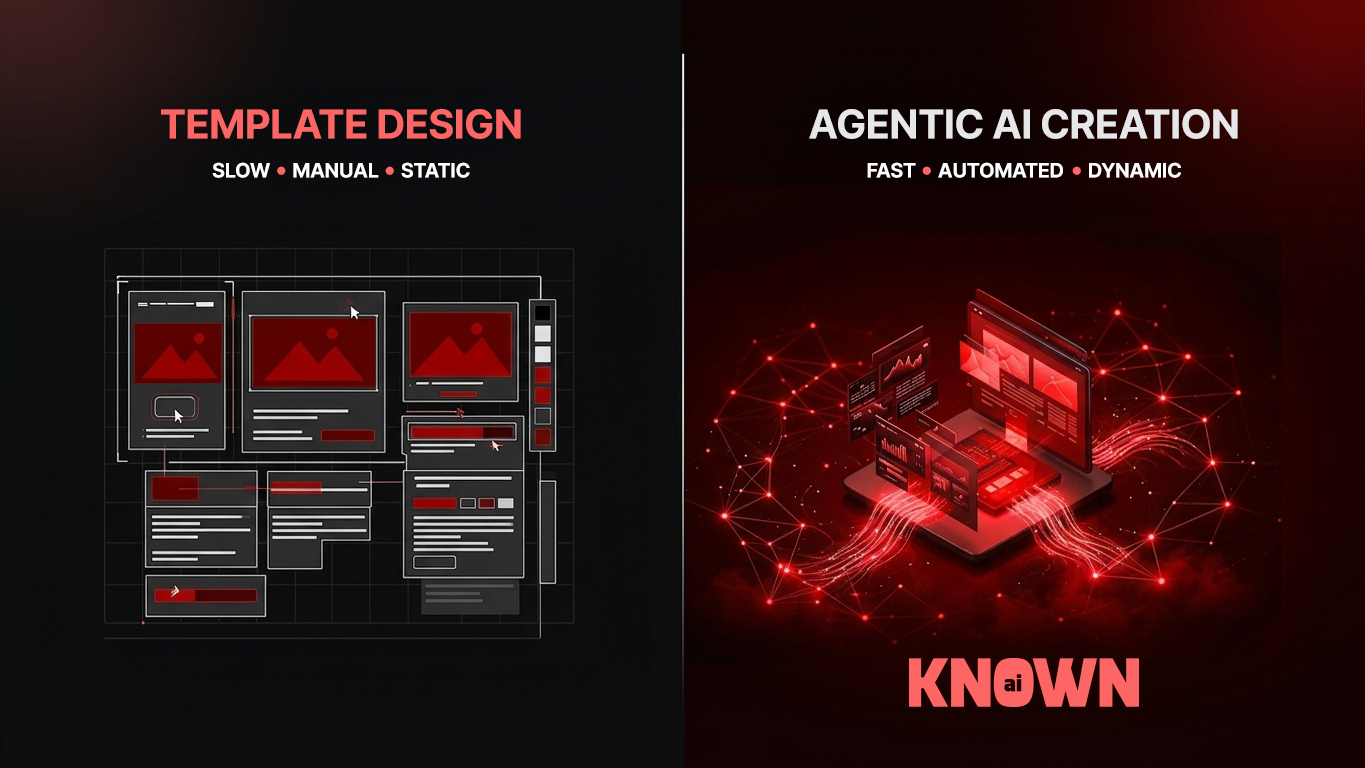
Agentic vs Template Website Builders: Who Actually Wins?

Pick a template, swap the stock photos, change the font, done.

That’s how template-based website building has worked for two decades. But there’s a newer way to launch a site, and it doesn’t start with a template at all.

It starts with a team of AI agents that build the whole thing around your business instead of squeezing your business into someone else’s layout.

So which one actually wins?

In short: Template builders like Wix and Squarespace are quick to start but slow to scale, while agentic website builders compress design, development, copywriting, SEO and hosting into a single AI-driven pipeline that keeps working after launch.

This article unpacks exactly why that gap exists, what it costs businesses that ignore it, and how to choose the right model for where you actually are.

Agentic vs Template Website Builders: Who Actually Wins?

Two Very Different Starting Points

Template builders and Agentic builders both promise a website without needing a developer on speed dial. That’s where the similarity ends.

Template platforms hand you a library of pre-built layouts. You pick one, then edit colours, fonts, images and copy inside a fixed grid.

Wix added its ADI tool and Squarespace built Blueprint AI, both of which generate a starting point from a short questionnaire or prompt. Useful, but it’s still lipstick on the same template engine. The moment your business needs something the grid wasn’t designed for, you’re stuck.

An Agentic website builder works completely differently.

Rather than one AI model spitting out a single page, it runs a coordinated team of specialised agents, each handling a distinct job a web agency would normally staff separately, like strategy and sitemap planning, visual design, front-end development, copywriting, technical SEO, hosting and DevOps, quality assurance, analytics setup, imagery, and e-commerce configuration.

They share context and hand off to each other, producing a live, production-ready site in one session rather than a template you then have to finish yourself.

Agentic vs Template Website Builders: Who Actually Wins?

Where the Real Differences Show Up

Flexibility Without a Ceiling

Template builders define your structure before you’ve typed a word.

Go beyond the default sections and you need CSS or HTML skills most business owners don’t have.

Switch templates after launch and you’re rebuilding from zero, usually losing the SEO equity (rankings) you’d built up along the way.

Agentic builders like KNOWN AI flip that.

The layout, design system and page structure are generated from your actual business requirements, not chosen from a shelf.

And because the output runs on WordPress, which powers 8.4% of all websites through WooCommerce alone, representing 49.3% share of the e-commerce systems W3Techs tracks, you inherit an open ecosystem of tens of thousands of plugins rather than a closed one the platform controls.

Related Article: How to Build a Website Fast Using AI: A Step-by-Step KNOWN AI Guide

Agentic vs Template Website Builders: Who Actually Wins?

Speed That Doesn’t Stop at Launch

Template builders win the first hour. Selecting a layout and dropping in placeholder text is genuinely fast.

The catch is everything that comes after… Design customisation, mobile optimisation, content writing and SEO setup are all left for you to do, often stretching what looked like a one-day job into weeks.

Agentic pipelines compress that entire sequence into one process.

Structure, design, copy, SEO and mobile responsiveness are generated together rather than bolted on afterwards.

The difference doesn’t stop at go-live. Template platforms hand you the keys and step back… agentic systems keep monitoring performance, refreshing content and managing SEO as an ongoing service.

Agentic vs Template Website Builders: Who Actually Wins?

Where Templates Break Down

These limitations rarely show up on day one. They compound over time as a business grows.

  • Design lock-in: Changing template after publishing usually means starting again and losing accumulated Google search rankings.
  • Desktop and mobile drift: Many template builders require separate mobile editing, doubling the maintenance work for every structural change.
  • The customisation ceiling: Client portals, custom checkout flows, or granular schema markup simply aren’t possible without developer workarounds.
  • Closed ecosystems: You’re limited to whatever integrations the platform has approved.
  • No one’s driving after launch: Ongoing SEO, content and performance work becomes entirely your responsibility.

None of this is a bug. It’s how template platforms are built. Optimised for a fast first hour, not for a business that’s still around in three years.

Agentic vs Template Website Builders: Who Actually Wins?

Putting This Into Practice

If you’re a business owner weighing this up right now, the decision usually comes down to how much your website needs to do for you, not just how it needs to look.

A consulting firm that later wants a client portal, an online shop that needs a custom checkout, or a publisher that needs precise schema control will all hit the template ceiling eventually.

At that point, most businesses face a full rebuild on a more capable platform, and absorb whatever SEO disruption that migration causes.

Starting on open infrastructure avoids that cliff entirely, because you’re never boxed into decisions a platform made for you years earlier.

This is also where WooCommerce matters more than people realise.

Running on WordPress means any store built through an agentic pipeline inherits an e-commerce layer with 49.3% share of the e-commerce systems W3Techs monitors, along with region-specific payment gateways, tax rules and shipping integrations already built out for markets worldwide. [Source: Why WordPress Still Powers Almost Half the Web]

For agencies and freelancers specifically, this is also where taking advantage of an agentic builder changes the maths.

Instead of quoting weeks of build time per client, you’re quoting days, with SEO and hosting already handled inside the pipeline.

Related Article: How to Write the Perfect AI Prompt to Build Your Dream Brochure or E-commerce Website

Agentic vs Template Website Builders: Who Actually Wins?

Why This Matters More in the AI Era

Search itself is changing shape. Answer engines and AI overviews increasingly pull structured, well-optimised content directly into results, rather than sending every click through to a website.

A site built with proper schema markup, clean technical SEO and fast Core Web Vitals from day one has a real advantage in that environment.

Retrofitting those foundations onto a rigid template, after the fact, is exactly the kind of workaround that creates technical debt instead of solving the problem.

An agentic website builder treats SEO and answer-engine optimisation (AEO) as part of the build, not an afterthought bolted on once the site is “finished.”

That distinction is becoming the line between websites that keep performing and websites that quietly fade out of search and AI-generated answers alike.

Agentic vs Template Website Builders: Who Actually Wins?

Frequently Asked Questions

What is an agentic website builder?
It’s a website builder that uses a coordinated team of specialised AI agents, covering strategy, design, development, copywriting, SEO, hosting and analytics, to generate a complete, production-ready website in one process, rather than handing you a template to edit manually.

Is an agentic website builder better than Wix or Squarespace?
It depends on your goals. For a simple, low-traffic informational page, a template builder is a perfectly reasonable starting point. For a business that needs SEO, e-commerce or room to grow, an agentic builder avoids the customisation ceiling templates eventually hit.

Can I switch from a template builder to an agentic one later?
Yes, but expect it to function as a rebuild rather than a migration, since most template platforms don’t export cleanly. Moving earlier, before you’ve accumulated years of SEO equity on a closed platform, makes the transition considerably smoother.

Does an agentic website builder support e-commerce?
When it’s built on WordPress, yes. It inherits WooCommerce, which holds 49.3% share of the e-commerce systems W3Techs tracks, giving you built-in checkout, tax and shipping tools without extra plugins.

Do I own the website an agentic builder creates?
On a WordPress-based agentic builder, yes. The site, code and content are fully yours and portable to any host, unlike proprietary template platforms where your work stays locked inside their system.

Agentic vs Template Website Builders: Who Actually Wins?

Ready to try KNOWN AI website builder for yourself?

Templates aren’t wrong, they’re just built for a different job.

They suit a simple site with no growth ambitions and a short shelf life.

The moment SEO, e-commerce or scale enter the picture, the constraints that felt harmless at launch start costing real time and money.

An agentic website builder removes that ceiling from day one, generating a site around your business rather than squeezing your business into someone else’s grid, and then continuing to manage it long after launch.

If you’re deciding how to build your next website, or wondering whether the one you’ve got has already outgrown its platform, KNOWN AI’s agentic website builder is worth a proper look before you commit to another rebuild down the line.

Try the 3-Day FREE Trial Now! (No Credit card. No coding skills required).

How to Build a Website Fast Using AI: A Step-by-Step KNOWN AI Guide

You have a business, a brilliant idea, or a product worth selling, and every day without a website is a day of lost customers. That is the honest truth.

The good news? You can build a website with AI in minutes using KNOWN AI, no coding, no designers, no waiting weeks for a developer to reply to your email.

Just describe what you want, and watch it appear.

KNOWN AI is here to help you go from a blank screen to a fully live brochure or e-commerce website using the power of AI, with this step by step process.

We’ll also show you the features that make it faster, safer and smarter than almost anything else on the market, and why thousands of business owners are switching over.

Best of all, you can try it for free today, no credit card required.

KNOWN AI agentic website builder turning a simple text prompt into a complete website

What Is KNOWN AI and Why Does It Matter

KNOWN AI is an agentic website builder that uses natural language prompts to design, write and launch complete websites.

Instead of dragging blocks around a clunky editor for hours, you simply tell KNOWN AI what your business does, who it serves and what you sell.

Our AI platform then generates your website layout, copy, photo-realistic images and UX/UI structure automatically.

This matters because traditional website builders were never actually built for speed.

They were built for control, which sounds good until you realise most business owners do not have three afternoons free to fiddle with fonts and margins.

“We already see reduced friction in the user experience and increased efficiencies.” – Avishai Abrahami, CEO & Co-Founder, Wix

KNOWN AI sits at the intersection of speed and quality. It is not a stripped-down “quick and dirty” tool.

It produces polished, professional brochure sites and full e-commerce stores, ready to sell, ready to rank, ready to impress.


Step-by-step process of building and launching a website with KNOWN AI

Step by Step: Building Your Website with KNOWN AI

Step 1: Describe Your Business in Plain English

Head to www.knowndesign.ai and start with a simple prompt. No technical skills required.

Just describe your business the way you would explain it to a friend.

Example: “I run a boutique candle shop in Bristol and want an e-commerce store with a warm, cosy feel. My current target audiences are locals, and range from young teenagers to middle-aged professionals that love quirky hand-made Soy candles in a variety of fragrances and colours. I’d like to expand my 10-year-old business with a modern e-commerce shop to reach more candle lovers in the United Kingdom. The design style is quirky, playful, hand-crafted and original. I need a Homepage that introduces people to my hand made candle business with a brief introduction and history, A shop overview of my candle range split between sizes, colours and fragrances and full e-commerce checkout process that partners with any payment gateway and accepts all major credit cards and instant EFT, About Page that explains my history and experience with CTA’s that link to the shop and promote ‘buying hand made candles online’, Contact page with Google Map for location and address along with all my contact details and a contact form for candle enquiries.”

That is genuinely enough to get started.

Step 2: Choose Brochure or E-commerce

The more specific and detailed your prompt is, the faster KNOWN AI builds exactly what you imagined!

Tell KNOWN AI whether you need a brochure site to showcase your services, or a full e-commerce store with product listings, checkout and payment integration.

The AI adapts the entire structure, navigation and content strategy based on your choice.

Step 3: Let the AI Generate Your Site

Within minutes, KNOWN AI builds out your homepage, service or product pages, about section and contact forms.

It writes natural-sounding copy tailored to your industry, generates original photo-realistic AI imagery matched to your brand mood, and structures everything for search engines from the very first click.

Step 4: Refine with Vibe Coding

If you do not love a section, simply describe the change you want in plain language, such as “make the hero section bolder” or “add a testimonials slider”, and watch the AI rebuild it instantly.

This is vibe-coding in action: no code, no developers, just conversation.

“Fully give in to the vibes, embrace exponentials, and forget that the code even exists.” – Andrej Karpathy, AI researcher, OpenAI co-founder & former Tesla Director of AI (the person who coined the term “vibe coding”)

Step 5: Launch on Secure, Fast Hosting

Once you are happy, publish directly. Your site goes live on fast, cloud-based, secure hosting built for reliability, meaning your brochure or e-com store is ready for real customers the same day you started.

Real-World Application: Who Should Be Using KNOWN AI Right Now

Small business owners without a marketing team can finally compete online without hiring an agency.

A local bakery, a legal practice, an architectural firm or a boutique retailer can each have a professional, search-optimised website live before lunchtime.

Freelancers and consultants can build a credible brochure site to win clients, without spending their limited time learning WordPress.

E-commerce entrepreneurs can launch a full online store, complete with product pages and checkout, without needing a developer on retainer.

Marketing agencies and web designers themselves are using KNOWN AI to rapidly prototype client sites, then refine and hand over, cutting weeks off typical project timelines.

Related Article: ‘How to write the perfect prompt for your AI Website builder’


Key features and benefits of the KNOWN AI website builder platform

The USPs That Make KNOWN AI Different

  • Fast: Full websites generated in minutes, not weeks.
  • Reliable: Consistent uptime on enterprise-grade cloud infrastructure.
  • Secure: Built-in security measures protecting your site and customer data.
  • Cloud-based: No servers to manage, no technical maintenance headaches.
  • Vibe-coding: Describe changes in plain language and watch them happen instantly.
  • No coding skills required: Genuinely accessible to anyone, regardless of technical background.
  • AI image generation: Original, on-brand photo-realistic visuals created automatically.
  • AI text generation in natural language: Persuasive, SEO-ready copy written for you.
  • Free to try: No credit card required to get started today.


Why This Matters in the AI Era

Search engines and AI overviews are changing how customers find businesses.

It is no longer just about ranking on Google, it is about being the answer an AI assistant gives when someone asks “who is the best candle shop in Bristol” or “where can I buy handmade candles online”.

Websites need to be built with structure and clarity that both humans and AI systems can understand instantly.

KNOWN AI builds this in from the very first prompt. Every page is structured for Search Engine Optimisation (SEO), Generative Engine Optimisation (GEO) and Answer Engine Optimisation (AEO) simultaneously, meaning your business is visible wherever people, or the AI tools they use, are looking.

Waiting to modernise your online presence is not a neutral choice anymore.

Every week without an AI-optimised website is a week your competitors might be capturing the customers who should have found you first.

Related Article: The Rise of AEO: Why Your Website Needs to Answer Questions.

Frequently asked questions about building a website with KNOWN AI

Frequently Asked Questions

How long does it take to build a website with KNOWN AI?

Most brochure websites can be generated and published within minutes.

E-commerce stores with multiple products may take slightly longer to configure, but the core structure and design are typically ready in under an hour, all without writing a single line of code.

Do I need any technical or design experience?

No. KNOWN AI is built specifically for people with no coding or design background.

You describe what you want in everyday ‘natural’ language, and the AI handles layout, copywriting, imagery and structure automatically, with unlimited refinements through simple prompts.

Is KNOWN AI suitable for e-commerce stores?

Yes. KNOWN AI generates full e-commerce websites, including product pages, checkout flows and payment integration, alongside brochure-style content.

It is built to handle both simple service websites and more complex online stores with equal ease.

Do I need a credit card to try KNOWN AI?

No credit card is required to start.

You can try KNOWN AI for free today, explore the platform, generate your website and decide afterwards whether you would like to continue with a hosting plan.

You get a three day free trial to make any changes to your new WordPress website and decide on your preferred hosting package.

You can check out all the benefits included in our web hosting packages.

Is my website secure and reliably hosted?

Yes. Every website built with KNOWN AI runs on secure, cloud-based hosting designed for reliability and consistent performance, so your brochure or e-commerce store stays online and protected as your business grows.

Finished professional website built in minutes with the KNOWN AI website builder

KNOWN AI can build your perfect website in minutes!

Building a professional website used to mean weeks of back and forth, technical headaches and unpredictable costs.

With KNOWN AI, you can describe your business in plain language and have a polished brochure or e-commerce website live in minutes.

Fast, reliable, secure and genuinely built for you.

There is no reason to keep putting it off, and no risk in trying.

Visit www.knowndesign.ai today and build your website with AI for free, no credit card required.

Your customers are searching right now. Make sure they find you!

How AI Is Revolutionising Web Design for Startups

Launching a startup has never been more competitive. Founders need to establish trust, attract customers and generate leads quickly, but traditional website design often requires significant time, budget and technical expertise.

Artificial Intelligence (AI) is changing that completely. Today, startups can build high-quality, search-optimised websites in days rather than weeks, dramatically reducing costs while accelerating their journey to market.

AI-powered web design combines automation, machine learning and intelligent content generation to streamline every stage of website creation.

However, while AI dramatically speeds up development, the best results still come from combining advanced AI tools with experienced designers who understand branding, user experience and search optimisation.

Lets explore how AI is transforming web design for startups, where human expertise still plays a critical role, and why combining both approaches gives businesses a significant competitive advantage.

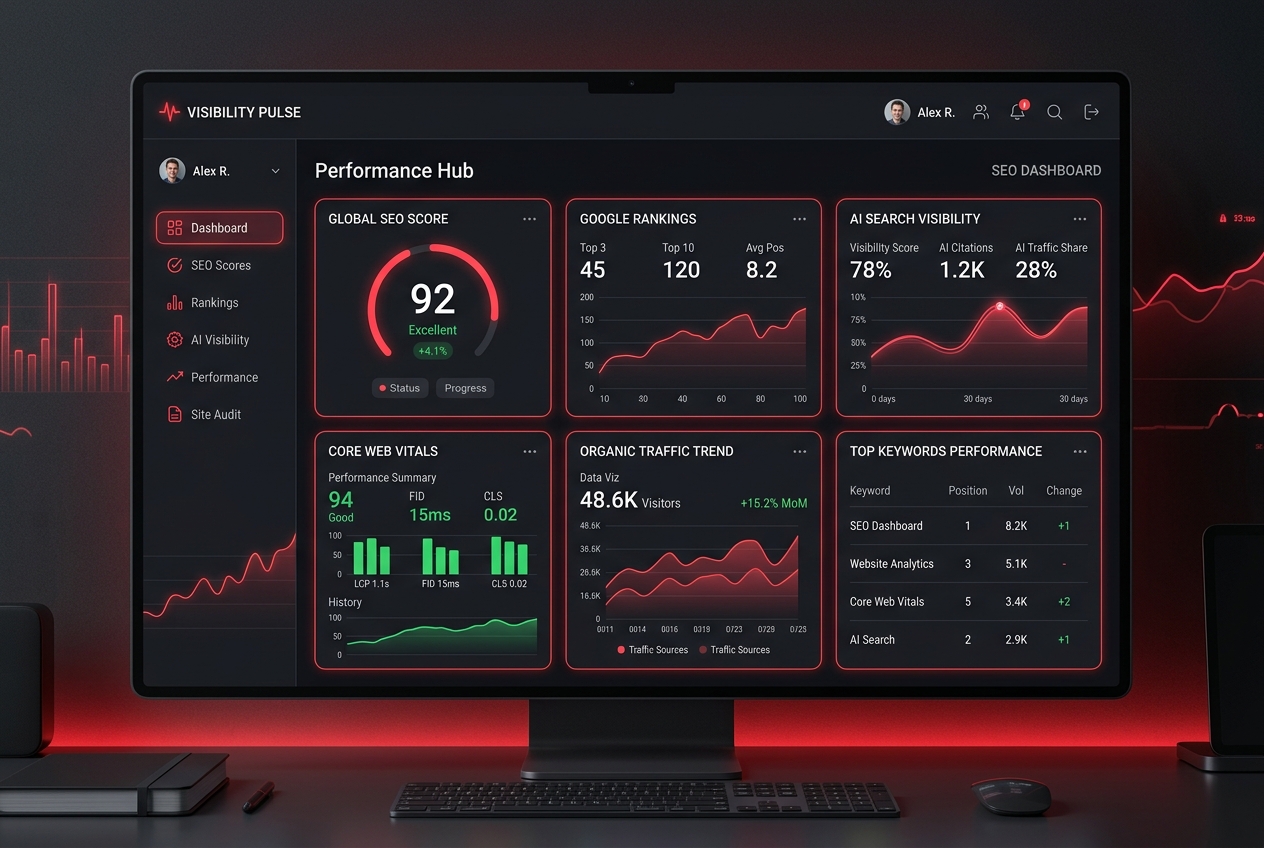
Dark multi-panel dashboard on a computer monitor labeled 'Performance Hub' showing SEO score, rankings, AI visibility, and traffic trends with red accent lines.

AI-Powered Design: A Game Changer for Startups

For many startups, launching quickly is essential. Every week spent waiting for a website is a week of missed opportunities, slower customer acquisition and delayed revenue.

AI website builders have fundamentally changed this process by allowing businesses to generate professionally designed websites from a simple text prompt.

Modern AI platforms can automatically create page layouts, write content, generate imagery, optimise search engine metadata and even produce responsive mobile designs within minutes.

This allows founders to focus on growing their business rather than managing lengthy development projects.

Research and industry leaders increasingly agree that AI is enhancing design workflows rather than replacing creative professionals.

Figma CEO Dylan Field has repeatedly argued that AI raises the importance of quality design because it automates repetitive tasks while making human judgement, creativity and brand differentiation even more valuable.

“The future won’t be designed by accident.” – Dylan Field, Co-founder & CEO, Figma (Config 2025 opening keynote).

Why AI Website Design Makes Sense for Startups

Launch Faster Than Ever Before

Traditional web design projects often involve weeks of planning, wireframing, revisions and development before a website goes live.

AI dramatically compresses this timeline:

  • Generate complete website concepts in minutes.
  • Create responsive layouts automatically.
  • Produce SEO-friendly page structures from day one.
  • Publish websites in days instead of months.

For startups testing new ideas or launching MVPs, this speed can make the difference between leading a market or falling behind competitors.

Reduce Development Costs

Budget is one of the biggest constraints facing early-stage businesses.

Hiring designers, developers, copywriters and SEO specialists individually can quickly become expensive.

KNOWN AI changes this by providing an AI-powered website builder capable of producing high-quality websites from a simple 2000-character natural language prompt, with packages starting from just £9 pm.

Businesses also benefit from a three-day free trial, allowing founders to experience the platform before committing.

SEO Is Built In From The Start

Many startups launch beautiful websites that struggle to attract visitors because search engine optimisation (SEO) is treated as an afterthought.

KNOWN AI’s website builder automatically generates:

  • Optimised heading structures.
  • Meta titles and descriptions.
  • Responsive page layouts.
  • Fast-loading assets.
  • Core Web Vitals improvements.

This provides startups and SME’s with a much stronger foundation for organic search visibility while reducing ongoing optimisation work.

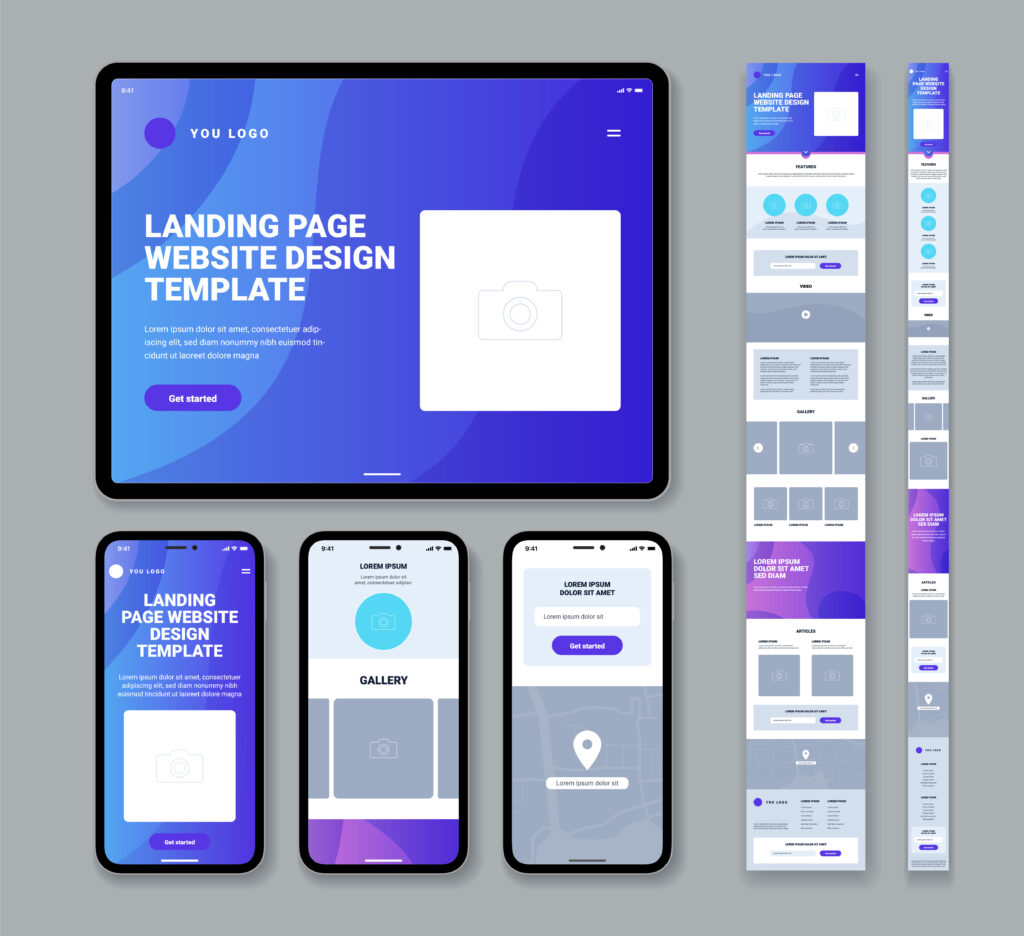
AI website builder generating a responsive website layout instantly from a text prompt

Core Insights: How AI Is Transforming Modern Web Design

AI is no longer a futuristic concept reserved for large enterprises. It has become an accessible and practical tool that empowers startups to compete with established brands by streamlining the website design and development process, improving user experiences and enhancing search visibility.

AI Generates Instant Website Prototypes

One of the biggest advantages of AI-powered web design is speed.

Instead of spending days creating wireframes and mock-ups, founders can describe their business in a simple prompt and generate a fully responsive website within minutes.

KNOWN AI’s Agentic Website Builder enables startups to quickly visualise their ideas, making it easier to validate concepts, gather feedback and launch products without lengthy development cycles.

  • Generate complete page layouts from a single prompt.
  • Create mobile-friendly designs automatically.
  • Produce professional content structures instantly.
  • Reduce development time from weeks to days.

Built-In SEO and Performance Optimisation

Launching a website is only the first step. A website also needs to perform well in search engines and provide an excellent user experience.

Our AI-powered platform automatically implements many SEO, GEO and AEO-optimisation best practices during the build process.

These include:

  • Semantic HTML structures.
  • Optimised heading hierarchy.
  • Search-friendly metadata.
  • Responsive layouts.
  • Fast loading speeds.
  • Core Web Vitals optimisation.

For startups with limited marketing resources, this provides a significant advantage by creating a website that’s ready to compete from day one.

AI-Generated Imagery Reduces Costs

Professional photography and premium stock imagery can quickly consume a startup’s budget.

AI image generation now enables businesses to create unique photo-realistic and sharp visuals tailored specifically to their brand identity.

Instead of relying on generic stock photography used by thousands of other websites, startups can generate custom illustrations, hero banners and marketing graphics that align with their messaging and visual identity.

Content Creation Becomes Faster

Creating website copy often delays launches because founders struggle to write compelling content.

KNOWN AI assists by producing well-structured first drafts for service pages, landing pages and product descriptions.

However, AI-generated content should always be reviewed and refined by experienced copywriters or digital professionals to ensure accuracy, brand consistency and originality.

Designer at a multi-monitor desk in a modern open-plan office, sketching on a tablet.

The Human Touch Still Matters

Despite the impressive capabilities of AI, technology alone cannot replace strategic thinking, creativity and human experience.

AI excels at automation, but it doesn’t fully understand your brand story, customer emotions or long-term business objectives.

This is where experienced designers and prompt engineers add enormous value.

KNOWN DESIGN combines the speed of AI with more than 12 years of award-winning customised website design and development experience.

Rather than simply generating websites, the team carefully refines AI outputs to ensure every website reflects the client’s unique brand, business goals and customer expectations.

This hybrid approach delivers the best of both worlds:

  • Rapid AI-generated foundations.
  • Expert prompt engineering.
  • Professional branding consistency.
  • Exceptional user experience.
  • Conversion-focused layouts.
  • Human quality assurance.

Every AI-generated website can also be enhanced through expert revisions and ongoing WordPress CMS support, ensuring Brands continue evolving as they grow.

Website structure illustration showing built-in SEO and Core Web Vitals optimisation

Problem vs Solution

The Problem

Many startups face the same challenges when launching online:

  • Limited marketing budgets.
  • Slow development timelines.
  • Difficulty finding reliable developers.
  • Poor SEO performance.
  • Generic templates that fail to stand out.
  • Expensive ongoing maintenance.

These obstacles often delay product launches and reduce opportunities to generate leads during the crucial early stages of business growth.

The Solution

AI-powered website development addresses these challenges by dramatically reducing both time and cost while maintaining professional quality.

KNOWN AI enables startups to:

  • Generate fully responsive websites within minutes.
  • Launch professionally designed websites in days.
  • Benefit from built-in SEO optimisation.
  • Create AI-generated photo-realistic crisp imagery on demand.
  • Scale securely using reliable Google Cloud Hosting servers.
  • Receive expert refinement from the KNOWN DESIGN team.

Instead of choosing between affordability and quality, startups can now enjoy both.

AI won’t replace designers, but designers using AI will replace designers who don’t.

“I think [websites] are very fundamental to the future of humanity.” – Matt Mullenweg, Co-founder of WordPress & CEO, Automattic

The rapid adoption of AI tools across the creative industry demonstrates that businesses embracing AI-enhanced workflows are increasingly able to deliver projects faster while maintaining high quality through human expertise.

Real-World Application

Imagine you’re launching a new software startup.

Traditionally, you’d spend weeks briefing designers, waiting for concepts, revising designs, sourcing imagery, writing content and coordinating developers before your website is ready.

Using KNOWN AI, you simply describe your business idea, target audience and preferred style.

Within minutes, the AI platform generates a professionally designed website complete with responsive layouts, structured content, SEO-ready pages and AI-generated visuals.

KNOWN DESIGN then refines the website through expert prompt engineering, ensuring every element aligns with your branding, messaging and business objectives.

The result is a polished, high-performing website that’s ready to convert visitors into customers far sooner than traditional development methods allow.

Four colleagues celebrate a product launch, toasting over a transparent digital map display in a modern office setting with charts on the wall.",

Why AI Web Design Matters More Than Ever

The way people discover companies online is changing rapidly. Ranking on Google is still important, but today consumers are increasingly asking questions directly to AI-powered platforms such as ChatGPT, Google AI Overviews, Microsoft Copilot, Gemini and Perplexity.

This shift means brands must optimise not only for traditional search engines but also for AI-powered answer engines.

Search Engine Optimisation (SEO) remains the foundation of online visibility, but Answer Engine Optimisation (AEO) and Generative Engine Optimisation (GEO) are becoming equally important.

While SEO focuses on earning rankings in search results, AEO and GEO focus on creating content that AI systems can confidently understand, summarise and cite within their responses.

For startups, this presents an exciting opportunity.

AI-powered search often prioritises content that is clear, trustworthy, well-structured and demonstrates genuine expertise.

This means smaller businesses with exceptional content can compete alongside much larger brands without requiring enormous marketing budgets.

Future-Proofing Your Digital Presence

Building a website today is about far more than having an attractive homepage.

Businesses need websites that are:

  • Fast-loading and mobile responsive.
  • Structured using semantic HTML.
  • Optimised for Core Web Vitals.
  • Easy for AI models to understand.
  • Designed to answer real customer questions.
  • Built with long-term scalability in mind.

These principles not only improve traditional search rankings but also increase the likelihood of appearing within AI-generated answers and recommendations.

AI and human designer collaborating to refine a website's user experience and branding

Why Choose KNOWN DESIGN + KNOWN AI?

While AI website builders have made professional web design more accessible than ever, technology alone cannot guarantee exceptional results.

The most successful websites combine intelligent automation with experienced human expertise.

With more than 12 years of award-winning experience, KNOWN DESIGN has helped global brands across multiple industries establish powerful digital identities.

Combined with a 5-Star Google rating, an experienced design team and cutting-edge AI technology, clients receive the speed of automation without sacrificing creativity, strategy or quality.

KNOWN AI has been specifically developed to help startups launch faster while maintaining professional standards.

  • AI-powered website generation from a single prompt.
  • Launch-ready websites in days instead of months.
  • Three-day free trial before committing.
  • Secure Google Cloud hosting.
  • Built-in SEO and performance optimisation.
  • Professional refinement by expert prompt engineers.
  • WordPress CMS support and ongoing website improvements.

Rather than replacing designers, KNOWN AI empowers the KNOWN DESIGN team to spend more time refining user experience, improving branding, increasing conversions and ensuring every website delivers measurable business value.

A Smarter Investment for Startup Growth

Every startup faces the challenge of balancing speed, quality and affordability.

Traditionally, businesses had to compromise by choosing one or two of these priorities.

AI-powered website design changes that equation.

Instead of waiting months for a completed website, startups can launch quickly, validate their ideas, attract customers sooner and continually improve their online presence using AI-assisted workflows.

The result is a faster route to market, lower upfront costs and a website that continues evolving alongside the business.

Want to get even better results from AI-powered website builders?

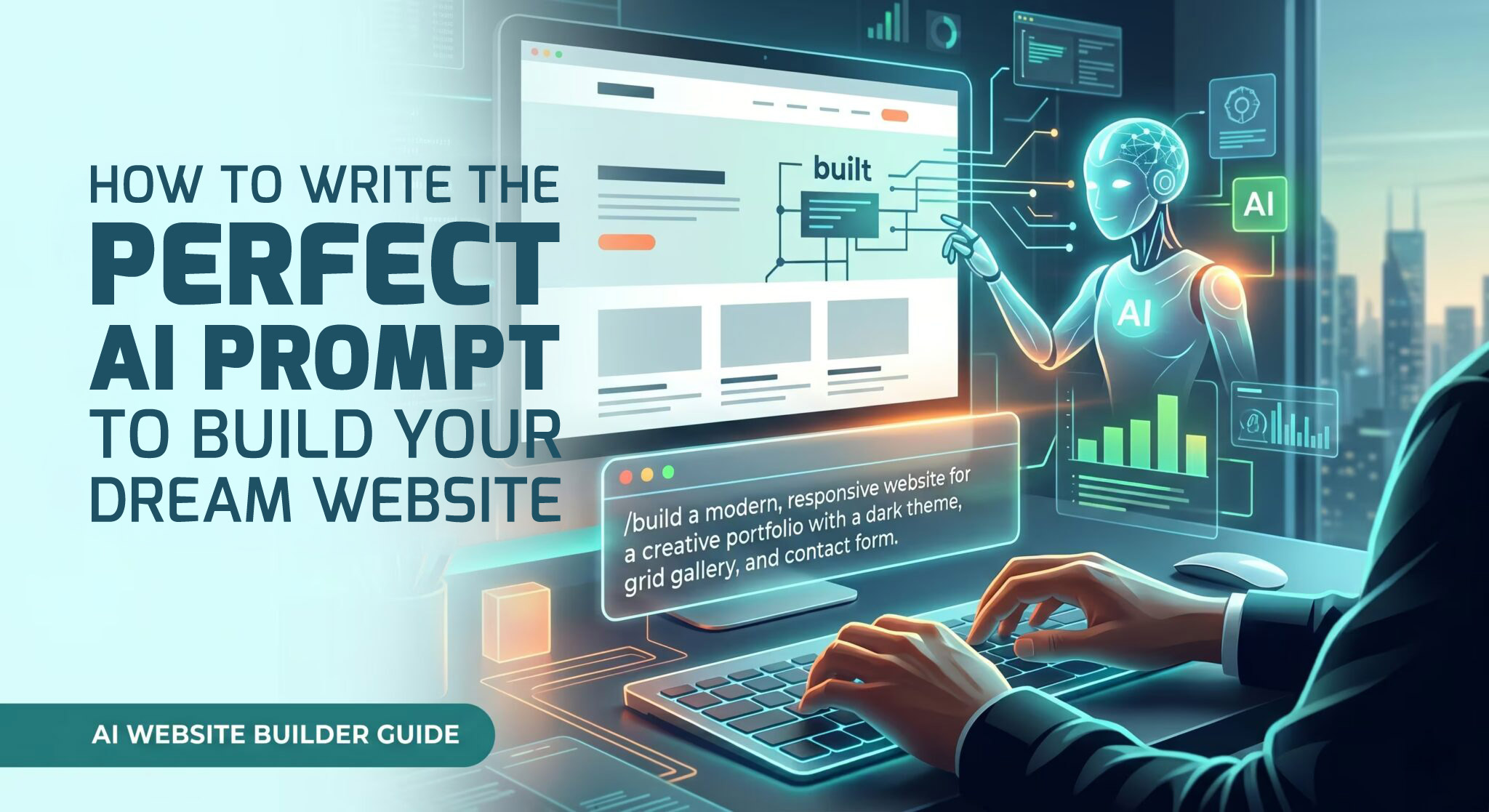
Read our related guide: How To Write The Perfect AI Prompt to Build Your Dream Website

Ready to Build Your Startup Website?

Whether you’re launching your first business, validating a new product or scaling an existing company, KNOWN DESIGN and KNOWN AI provide everything needed to build a modern, high-performing website.

From branding design and premium custom website design and development to AI-powered website generation, Core Web Vitals optimisation, data analytics implementation and Answer Engine Optimisation (AEO), you’ll have access to an experienced team that understands both cutting-edge AI technology and proven digital marketing strategies.

The future of web design isn’t AI alone, it’s AI powered by experienced professionals who know how to transform great ideas into exceptional digital experiences.

Before and after comparison of slow generic website development versus fast AI-powered website launch

Frequently Asked Questions

Is AI replacing web designers?

No. AI is transforming how websites are created by automating repetitive tasks such as layout generation, content suggestions and basic SEO. However, experienced web designers remain essential for creating unique brand identities, improving user experience, developing custom functionality and ensuring websites convert visitors into customers. The best results come from combining AI efficiency with professional human expertise.

How quickly can an AI website be built?

Many AI-powered website builders can generate a professional website within minutes from a simple prompt. After expert refinement, branding adjustments and quality assurance, businesses can often launch a fully functional website within just a few days, making AI an ideal solution for startups that need to move quickly.

Can AI-generated websites rank on Google?

Yes. A website’s search performance depends on factors such as content quality, technical SEO, page speed, user experience and authority—not whether AI helped build it. When combined with expert optimisation, AI-generated websites can perform exceptionally well in both traditional search engines and AI-powered search experiences.

What are the benefits of using an AI website builder for startups?

AI website builders help startups reduce costs, accelerate website launches, improve SEO foundations and simplify content creation. They also allow founders to test new business ideas quickly while maintaining professional design standards and responsive performance across all devices.

Why should startups choose KNOWN DESIGN and KNOWN AI?

KNOWN DESIGN combines more than 12 years of award-winning web design experience with the latest AI technology through KNOWN AI. Businesses benefit from rapid AI-powered website creation, expert prompt engineering, custom branding, ongoing WordPress support, Core Web Vitals optimisation and Answer Engine Optimisation, ensuring every website is built for long-term business growth.

Frequently asked questions about AI website builders and web design for startups

Ready to discover the power of KNOWN AI?

AI is fundamentally changing how startups approach website design and development.

What once required months of planning, significant investment and multiple service providers can now be achieved in a fraction of the time without compromising quality.

However, successful websites are built on more than automation alone. Combining AI with experienced designers ensures every website reflects a strong brand identity, delivers an exceptional user experience and remains optimised for SEO, GEO and AEO as digital search continues to evolve.

Whether you’re launching your first startup or scaling an established business, KNOWN DESIGN and KNOWN AI provide the perfect balance of intelligent automation and human expertise.

The result is a faster, smarter and more cost-effective approach to building websites that not only look exceptional but also drive measurable business growth.

Enjoy the FREE three day trial today! (No credit card required. No coding skills required).

Why a 90+ PageSpeed Score Matters for Your Business

Imagine walking into a shop where the doors take five seconds to open. Chances are, you’d turn around and leave before ever seeing what was inside. That’s exactly what happens online when a website loads slowly. In today’s digital-first world, speed isn’t simply a technical metric—it’s one of the biggest factors influencing user experience, search engine rankings and, ultimately, your bottom line.

A Google PageSpeed score of 90 or higher is widely regarded as an indicator of a well-optimised website. It demonstrates that your site delivers a fast, seamless experience for visitors while meeting many of Google’s performance best practices. More importantly, it helps improve customer satisfaction, increases conversions and gives your business a competitive advantage in both traditional search results and AI-powered search experiences.

Whether you’re running an eCommerce store, a service-based business or a startup, every second counts. Even a one-second delay in loading time can result in fewer enquiries, abandoned shopping carts and lower search rankings. The good news is that modern optimisation techniques and AI-powered web development now make it easier than ever to build lightning-fast websites without sacrificing design or functionality.

In this guide, you’ll learn why PageSpeed matters, how it directly impacts SEO, conversions and user trust, and how KNOWN DESIGN and KNOWN AI help businesses consistently achieve PageSpeed scores of 90+ while delivering exceptional digital experiences.

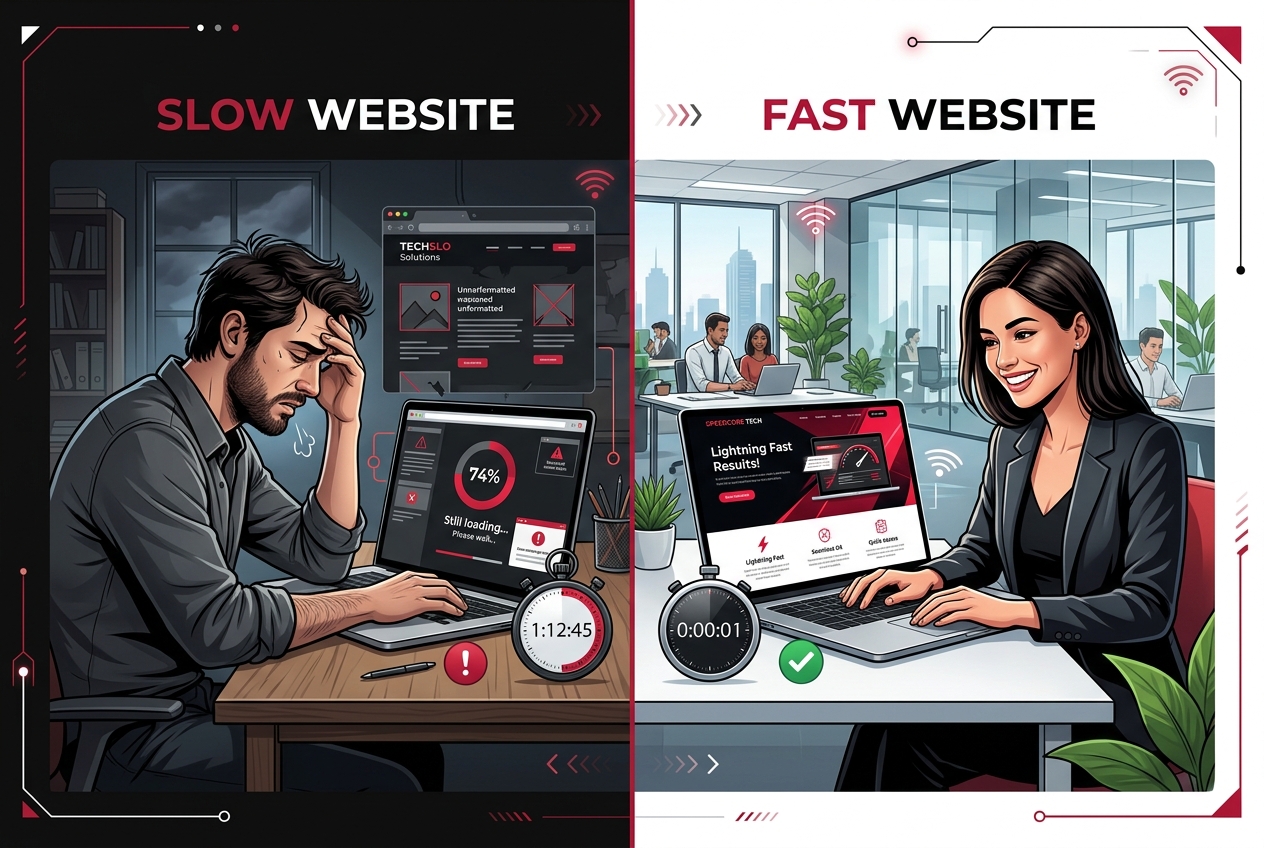
Split-screen illustration contrasting slow vs fast websites: frustrated man at a dark desk with slow-loading screens on the left and a cheerful woman at a bright desk with a fast-loading page on the right.

The Business Case for a 90+ PageSpeed Score

Many businesses assume PageSpeed is simply a technical score for developers. In reality, it has a direct impact on revenue, customer experience and online visibility.

Google has long prioritised website performance as part of its ranking algorithms, particularly since introducing Core Web Vitals. Websites that load quickly provide a better experience for users, making them more likely to rank higher, keep visitors engaged and convert traffic into paying customers.

Research has consistently shown that users expect websites to load almost instantly. If a page takes too long, visitors often leave before engaging with any content, regardless of how good the product or service may be.

For businesses competing online, speed is no longer optional—it’s a competitive advantage.

Why Every Second Matters

Think about your own browsing habits. When a website feels slow, you probably click the back button and choose another result. Your customers behave exactly the same way.

Every additional second of loading time creates friction in the customer journey, increasing the likelihood that visitors will abandon your website before completing an enquiry, booking a service or making a purchase.

  • Slow websites lose potential customers before they even see your offer.
  • Fast websites create a smoother, more enjoyable browsing experience.
  • Better experiences lead to higher engagement and stronger customer trust.
  • Improved performance contributes to better search visibility over time.

Conversion Optimisation Starts With Speed

Your website exists to achieve business goals—whether that’s generating leads, selling products or encouraging enquiries. Website speed directly influences how successfully it achieves those goals.

Numerous industry studies have demonstrated that even small improvements in loading speed can significantly increase conversion rates. Faster websites reduce friction throughout the customer journey, allowing users to move naturally from discovery to action without unnecessary delays.

For startups and growing businesses, improving website speed often delivers one of the highest returns on investment because it enhances every stage of the marketing funnel.

Benefits of a Faster Website

  • Higher lead generation.
  • Increased online sales.
  • Lower bounce rates.
  • Longer average session durations.
  • Greater customer satisfaction.
  • Improved mobile usability.
  • Higher return visitor rates.

Speed Builds Trust

Consumers associate fast websites with professional, reliable businesses. A slow-loading website can unintentionally suggest poor quality, outdated technology or a lack of attention to detail—even if your products or services are excellent.

First impressions happen within seconds. When visitors experience a fast, responsive website, they’re more likely to trust your brand, explore additional pages and feel confident about doing business with you.

This is especially important for startups, where credibility and trust play a significant role in converting first-time visitors into loyal customers.

How Website Speed Impacts SEO

Search Engine Optimisation (SEO) is about much more than keywords and backlinks. Google also evaluates how quickly and efficiently your website performs. A fast website helps search engines crawl your content more effectively while providing users with a better browsing experience.

Since Google’s Page Experience update, website performance has become an important ranking consideration. While PageSpeed alone won’t guarantee a number one ranking, it plays a significant role when combined with high-quality content, strong technical SEO and a positive user experience.

Simply put, if two websites offer similar content, the faster website is more likely to earn higher rankings and keep visitors engaged.

Why Google Rewards Fast Websites

  • Improved user experience.
  • Lower bounce rates.
  • Better mobile performance.
  • More efficient crawling and indexing.
  • Higher engagement signals.
  • Greater accessibility across different devices and internet speeds.

As Google’s algorithms continue to evolve, website performance remains a key indicator of quality. Businesses that invest in speed today are building a stronger foundation for future search visibility.

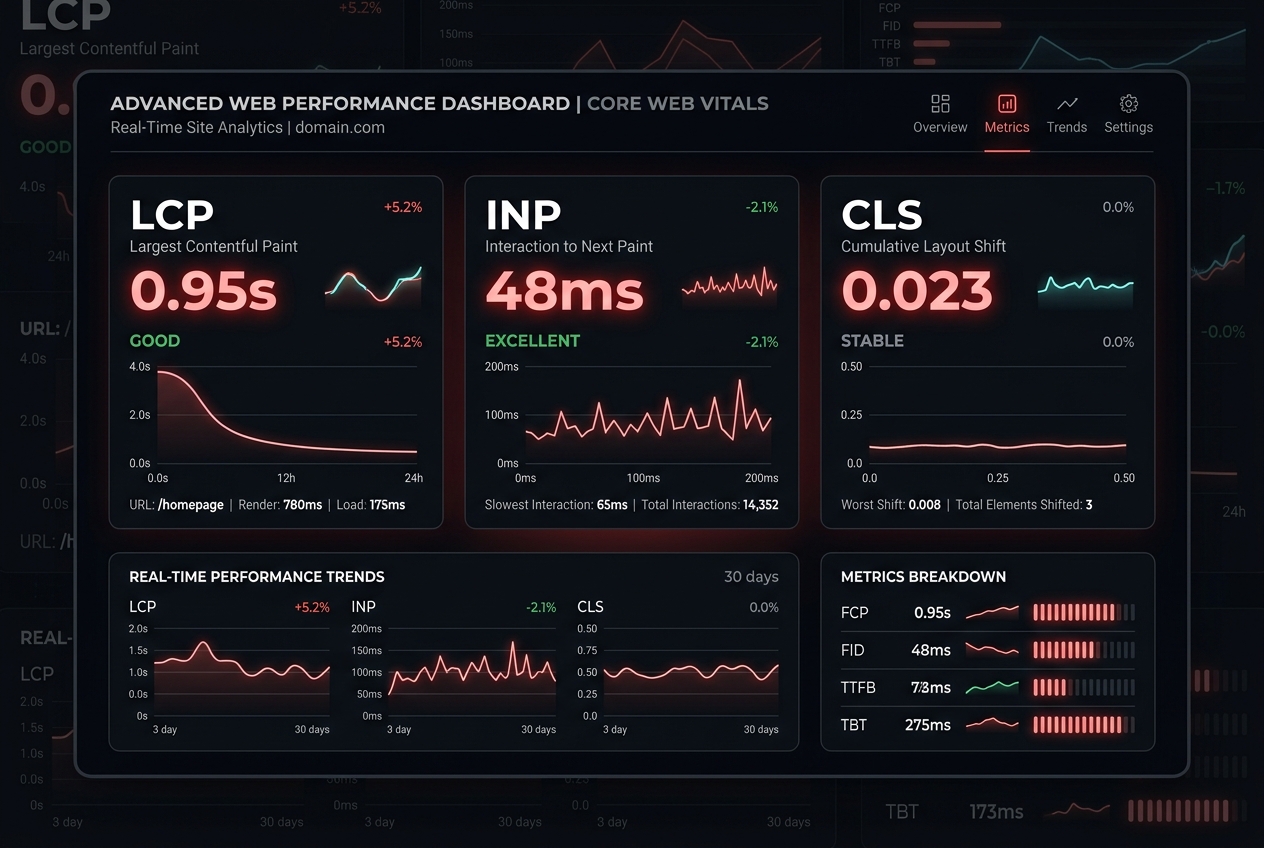
Dark web performance dashboard showing LCP 0.95s, INP 48ms, CLS 0.023 with charts and trends are displayed in panels.

Understanding Core Web Vitals

If you’ve ever used Google PageSpeed Insights, you’ve probably come across the term Core Web Vitals. While it sounds technical, the concept is surprisingly simple.

Core Web Vitals are Google’s way of measuring how enjoyable your website is to use. Rather than focusing solely on how quickly a page loads, these metrics evaluate how users actually experience your website.

Largest Contentful Paint (LCP)

LCP measures how quickly the largest visible element on your page appears. This could be your hero banner, a featured image or a large block of text.

A fast LCP reassures visitors that your website is loading correctly and encourages them to stay on the page.

Interaction to Next Paint (INP)

INP measures how responsive your website feels when users click buttons, open menus or submit forms.

If visitors click a button and nothing happens for several seconds, frustration quickly builds. A low INP ensures your website feels smooth, responsive and professional.

Cumulative Layout Shift (CLS)

CLS measures visual stability. Have you ever tried clicking a button only for the page to suddenly shift, causing you to click the wrong thing instead? That’s poor CLS.

A stable layout creates a polished user experience and prevents accidental clicks or unnecessary frustration.

Problem vs Solution

The Problem

Many businesses unknowingly operate websites that are slowing down their growth.

  • Large, unoptimised images.
  • Bloated website builders.
  • Too many plugins.
  • Poor hosting infrastructure.
  • Unused CSS and JavaScript.
  • Outdated WordPress themes.
  • No caching or image optimisation.

These issues often result in slow-loading pages, frustrated visitors and missed business opportunities.

The Solution

KNOWN AI has been engineered with performance at its core. Instead of treating optimisation as an afterthought, every website is built using modern techniques that maximise speed from the very beginning.

Combined with the expertise of KNOWN DESIGN, businesses receive a website that’s not only visually impressive but also technically optimised for long-term success.

  • AI-compressed images in next-generation formats.
  • Clean, lightweight code.
  • Lazy loading for media and resources.
  • Critical CSS loading.
  • Optimised hosting infrastructure.
  • Built-in technical SEO.
  • Responsive design across all devices.

Slow Website vs High-Performance Website

Slow Website

  • Visitors leave before the page finishes loading.
  • Higher bounce rates.
  • Lower search visibility.
  • Reduced conversions.
  • Poor mobile experience.
  • Negative first impressions.

90+ PageSpeed Website

  • Visitors can access information almost immediately.
  • Improved engagement and longer session durations.
  • Stronger SEO foundation.
  • Higher lead generation and online sales.
  • Optimised performance across all devices.
  • Professional, trustworthy brand perception.

Real-World Example

Imagine two businesses offering identical services.

The first website takes five seconds to load. Visitors become impatient, leave before viewing the service pages and choose a competitor instead.

The second website loads almost instantly. Navigation feels smooth, pages respond quickly and customers effortlessly find the information they need before submitting an enquiry.

Although both businesses offer the same service, the faster website creates a significantly better customer experience, increasing the likelihood of enquiries, sales and repeat visits.

That’s the true value of investing in website performance—it improves every interaction your customers have with your brand.

How KNOWN AI Delivers 90+ Google PageSpeed Scores

Achieving a PageSpeed score of 90 or higher doesn’t happen by chance. It requires careful planning, modern development practices and continuous optimisation. While many website builders prioritise convenience, KNOWN AI has been engineered with performance as a core principle from the very beginning.

By combining intelligent automation with proven web development techniques, KNOWN AI enables businesses to launch websites that are not only visually impressive but also exceptionally fast, responsive and search-engine friendly.

Optimised Images From the Start

Images are often the largest files on any website and one of the biggest causes of slow loading times. KNOWN AI automatically optimises images during the website creation process, reducing file sizes without noticeably affecting quality.

Images are served in modern formats such as WebP and AVIF, helping pages load faster while using less bandwidth across desktop and mobile devices.

Critical CSS Loading

Rather than loading every stylesheet at once, KNOWN AI prioritises the styles required for the visible portion of the page first. This technique, known as Critical CSS, allows visitors to see content almost immediately while the remaining styles load in the background.

The result is a website that feels significantly faster, even before every asset has finished downloading.

Intelligent Lazy Loading

Not every image or video needs to load the moment a visitor opens your website. KNOWN AI uses lazy loading to delay off-screen resources until they are actually needed.

This dramatically reduces initial page weight, improves loading times and creates a smoother browsing experience without sacrificing visual quality.Global Cloud Hosting

Website speed isn’t determined by design alone—hosting infrastructure also plays a critical role. KNOWN AI offers reliable cloud hosting across the United Kingdom, Europe and the United States, helping reduce latency for visitors around the world.

By serving content from data centres closer to your audience, websites load faster regardless of where customers are located.

Technical SEO Built In

Fast websites are only part of the equation. KNOWN AI also incorporates technical SEO best practices during the build process, providing businesses with a strong foundation for long-term search visibility.

  • Clean semantic HTML.
  • Optimised metadata.
  • Structured heading hierarchy.
  • SEO-friendly URLs.
  • Responsive layouts.
  • Schema-ready page structures.
  • Core Web Vitals optimisation.

Rather than spending weeks fixing technical issues after launch, businesses start with a website that’s designed to perform from day one.

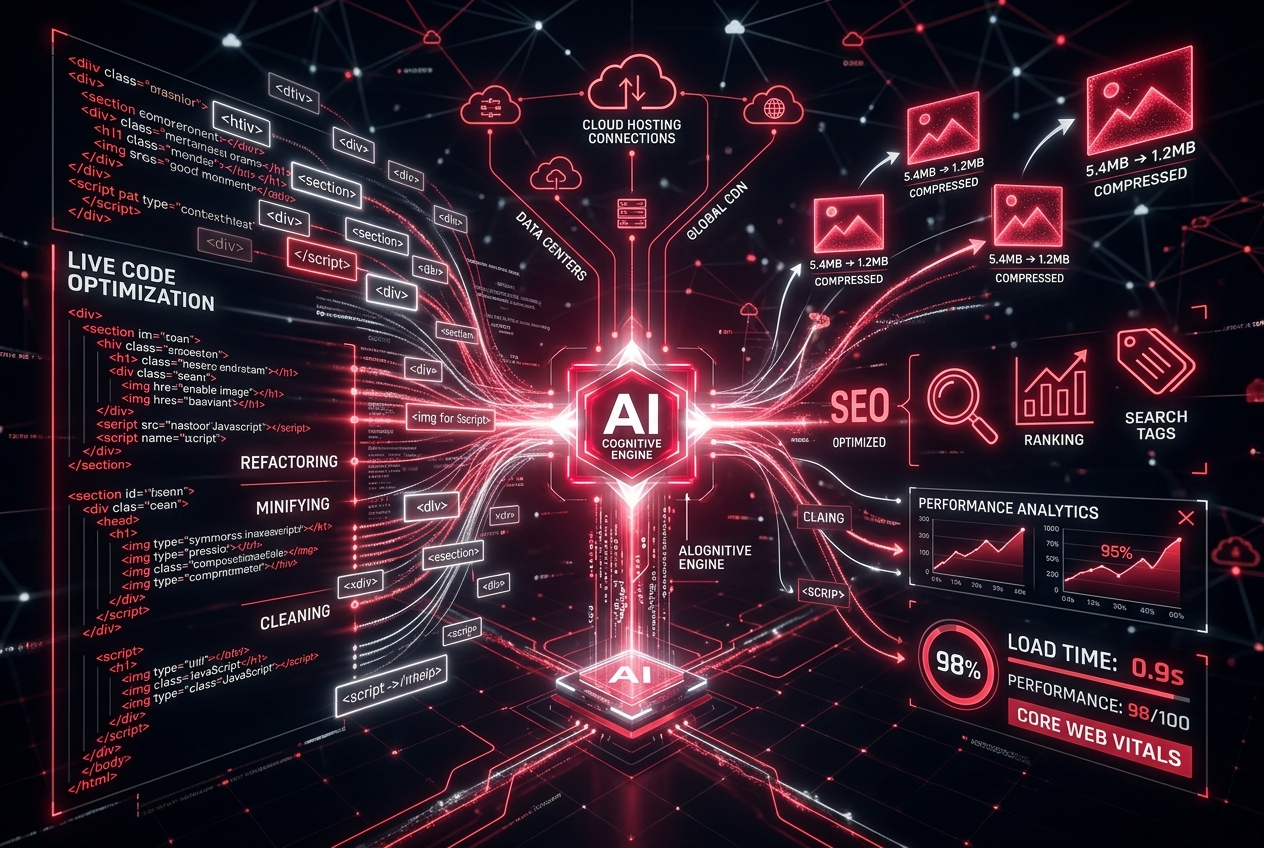
Futuristic AI dashboard with glowing data streams from a central AI engine, showing code, analytics, and SEO icons.

Why Website Performance Matters in the Age of AI Search

Search is evolving rapidly. Increasingly, users are turning to AI-powered platforms such as ChatGPT, Google AI Overviews, Microsoft Copilot and Gemini to answer questions, compare products and discover businesses.

These AI systems favour content that is well structured, easy to understand and hosted on websites that provide an excellent user experience. Fast-loading pages support that experience by allowing users—and search engines—to access information quickly and efficiently.

This is where SEO, Answer Engine Optimisation (AEO) and Generative Engine Optimisation (GEO) work together. A technically sound website with fast loading speeds, clear content and logical structure is better positioned to be discovered by both traditional search engines and AI-driven search experiences.

More Than Just a Fast Website

A high PageSpeed score is valuable, but it’s only one part of a successful digital strategy. Businesses also need websites that reflect their brand, engage visitors and encourage action.

KNOWN DESIGN combines over 12 years of award-winning web design experience with the power of KNOWN AI to deliver websites that are both visually striking and technically outstanding.

Clients benefit from a complete digital solution, including:

  • Branding Design.
  • Professional Website Design.
  • Agentic AI Website Builder.
  • Custom Website Development.
  • Custom AI Website Development.
  • Custom WordPress Theme Development.
  • Performance & Core Web Vitals Optimisation.
  • Data Analytics & Tracking Implementation.
  • Answer Engine Optimisation (AEO).

Whether you’re launching a startup, refreshing an existing website or scaling an established business, KNOWN DESIGN provides the expertise needed to create a digital presence that performs today while preparing for tomorrow’s search landscape.

Man in a gray suit and red tie smiles as he gestures toward wall-mounted graphs in a modern office.

Investing in Performance Is Investing in Growth

Every improvement in website speed creates opportunities to generate more enquiries, improve customer satisfaction and strengthen your online reputation.

Rather than viewing PageSpeed as a technical score, successful businesses recognise it as an investment in user experience, marketing performance and long-term growth.

When your website loads quickly, visitors stay longer, engage more deeply and are far more likely to become paying customers.

Frequently Asked Questions

What is a good Google PageSpeed score?

Google considers a PageSpeed Insights score of 90–100 to be excellent. While the score itself isn’t the only ranking factor, achieving 90 or above usually indicates that your website follows modern performance best practices, providing visitors with a fast, responsive and enjoyable browsing experience.

Does PageSpeed affect SEO?

Yes. Website speed is one of many factors that contribute to search performance. Faster websites typically offer better user experiences, lower bounce rates and improved Core Web Vitals, all of which support stronger SEO and help search engines crawl and index your content more efficiently.

Can WordPress achieve a 90+ PageSpeed score?

Absolutely. With the right hosting, lightweight themes, image optimisation, caching and clean development practices, WordPress websites can consistently achieve PageSpeed scores above 90. The key is avoiding unnecessary plugins and ensuring the website is built with performance in mind from the start.

What are Core Web Vitals?

Core Web Vitals are Google’s performance metrics that measure loading speed, responsiveness and visual stability. They help assess how users experience your website and are an important part of delivering a fast, user-friendly digital experience across desktop and mobile devices.

How does KNOWN AI help improve website performance?

KNOWN AI is engineered for speed using modern optimisation techniques, including image compression, lazy loading, Critical CSS, semantic HTML and cloud hosting infrastructure. Combined with the expertise of KNOWN DESIGN, businesses receive websites that are fast, visually engaging and built for long-term SEO success.

Looking to get even more from AI-powered web development?

Read our related step by step guide: How To Write The Perfect AI Prompt to Build Your Dream Website

From unKNOWN to KNOWN

A fast website is no longer a luxury—it’s a business necessity. From improving user experience and increasing conversions to strengthening SEO and supporting AI-powered search, website performance plays a crucial role in your online success.

Achieving a Google PageSpeed score of 90 or higher isn’t about chasing a number. It’s about creating a website that delivers value to every visitor, every time they interact with your brand.

With KNOWN AI’s intelligent website builder and the award-winning expertise of KNOWN DESIGN, businesses can enjoy the perfect combination of speed, innovation and professional craftsmanship. Whether you’re launching a new startup, redesigning an existing website or preparing for the future of AI-powered search, investing in performance today will continue paying dividends for years to come.

Ready to Supercharge Your Website?

If your current website is slow, underperforming or struggling to generate results, now is the perfect time to make a change.

KNOWN DESIGN offers a complete suite of digital services, including Branding Design, Website Design, Custom Website Development, Custom AI Website Development, WordPress Theme Development, Performance & Core Web Vitals Optimisation, Data Analytics & Tracking Implementation and Answer Engine Optimisation (AEO).

Looking for a faster, more affordable way to launch your business online? Experience the power of KNOWN AI with a three-day free trial and discover how intelligent automation, combined with expert human refinement, can help your business launch faster, rank higher and convert more visitors into customers.

How to Write the Perfect AI Prompt to Build Your Dream Brochure or E-commerce Website

The perfect AI website prompt includes five things: Your business type, your target audience, your goal, your preferred style, and the specific pages and functionality or features that you need.

The more specific you are, the faster KNOWN AI builds exactly what you imagined.

Close-up of a person holding a smartphone; the screen shows blurred, code-like text on a dark background.

What Is an AI Website Prompt and Why Does It Matter?

When you build a website with KNOWN AI, you don’t need to touch a single line of code, struggle with templates, or hire a web designer.

You simply describe your website in plain English and our AI builds it for you in minutes.

That description is your prompt.

Think of it like giving instructions to the world’s fastest, most talented web designer. The clearer and more detailed your brief, the better the result.

A vague prompt like “make me a nice website” will produce something generic.

A specific, well-structured prompt will produce a professional website that looks and feels like it was built precisely for your business.

The global AI-powered website builder market is driven by small businesses, choosing speed and affordability without sacrificing professionalism.

The difference between a business that gets a great result and one that doesn’t almost always comes down to the quality of the initial prompt.

This guide shows you exactly how to write one.

Close-up of a hand touching a touchscreen displaying an AI tool menu with rounded blue option cards on the left side

The Five Elements of a Perfect AI Website Prompt

Every great KNOWN AI prompt includes these five elements.

Miss one and the AI fills the gap with a generic assumption.

Include all five and the result will feel tailor-made.

1. Your Business Type and Industry

Tell the AI exactly what kind of business you run.

Be specific. Don’t just say “a shop.” 

Include as much detail as possible like “a handmade candle shop” or “a family-run Italian restaurant in Bristol.”

2. Your Target Audience

Who is your ideal customer?

A B2B SaaS company targeting decision-making HR directors needs a completely different website to a yoga studio targeting local Mums.

The more details you provide, the better the AI can deliver.

Specify the kind of business, the purpose of the website, and any unique elements you’d like to see.

3. Your Primary Goal

What do you want visitors to do when they land on your site? 

Book a call? 

Buy a product? 

Download a brochure? 

Fill in a contact form? 

Every design decision the AI makes, from the layout and button placement, to calls to action (CTA) flows from this single answer.

4. Your Style and Brand Feel

Describe the look and feel you want. 

You can reference colours, moods, or even other websites you admire. 

Words like “clean and minimal,” “bold and confident,” “warm and approachable,” or “professional and corporate” give the AI powerful creative direction.

5. Your Required Pages and Features

List the specific pages and features your site needs. 

A homepage and contact page is the minimum.

Should you also have a services page? A portfolio page? A product catalogue? A booking system? 

State your exact requirements clearly.

Person typing on a laptop with one hand on the keyboard and the other on a mouse nearby.

The KNOWN AI Prompt Formula

Here is the simple formula we recommend for every prompt you write in Known Design AI:

“Create a [style] website for [business type] targeting [audience]. 

The primary goal is [goal]. 

Pages needed: [list pages]. 

Features needed: [list features]. 

Brand feel: [describe aesthetic]. 

Colour palette: [colours or direction].”

Simple. Clear. Effective. 

Let’s now see it applied to the two most common website types: Brochure websites and E-commerce websites.

Part One: How to Prompt for the Perfect Brochure Website

A Brochure website is a digital shop window. 

Its job is to tell visitors who you are, what you do, why you’re the best choice, and how to get in touch. 

Think of it as your 24/7 sales representative that’s always available, always on-brand, never calling in sick.

Brochure websites are ideal for:

  • Service businesses (Consultants, Accountants, Solicitors, Therapists, Cleaners.)
  • Trades and local businesses (Plumbers, Electricians, Builders, Landscapers.)
  • Professional practices (Dentists, Physios, Architects, Estate agents.)
  • Creative freelancers (Photographers, Designers, Copywriters.)
  • Charities and non-profits.

What Makes a Great Brochure Website Prompt?

Brochure Website Prompt Examples

Example 1: Local Trades Business

For a brochure site, your prompt needs to emphasise trust signals, clear service descriptions, and an obvious contact or booking mechanism. 

The AI needs to understand not just what you do but why a visitor should choose you over your competitors.

Key things to include in a brochure website prompt:

  • Your location (Local SEO depends on it.)
  • Your core services or specialisms.
  • Your unique selling points (What makes you different?)
  • The trust signals you want featured (Years in business, accreditations, testimonials, awards.)
  • How you want visitors to get in touch (Call, form, booking link)


Prompt Example: “Create a professional, trustworthy website for a family-run electrical company in Manchester with 20 years of experience. Target audience: homeowners and small business owners in Greater Manchester. Primary goal: get visitors to call or request a free quote. Pages needed: Home, Services (rewiring, consumer units, EV chargers, PAT testing), About Us, Testimonials, Contact. Brand feel: reliable, safe, local, established. Colours: navy blue and white with yellow accents. Include a prominent phone number in the header, a Google reviews badge, and a ‘Get a Free Quote’ button on every page.”

Example 2: Professional Services Firm

Prompt Example: “Create a clean, authoritative website for a boutique HR consultancy based in London targeting SMEs with 10 to 250 employees. Primary goal: generate enquiries for a free 30-minute discovery call. Pages needed: Home, Services (HR strategy, employment contracts, disciplinary support, TUPE), About, Case Studies, Blog, Contact. Brand feel: professional, calm, modern, trustworthy. Colours: slate grey, white, and a deep teal accent. Include a calendar booking widget on the Contact page and a clear headline that communicates the value proposition above the fold.”

Example 3: Creative Freelancer

Prompt Example: “Create a portfolio website for a freelance brand photographer based in Edinburgh targeting lifestyle and food brands. Primary goal: attract enquiries for commercial shoots. Pages needed: Home, Portfolio (food, lifestyle, product categories), Services and Pricing, About, Contact. Brand feel: editorial, elegant, film-inspired, minimal. Colours: warm cream, charcoal, and dusty rose. Feature a large full-width hero image, a horizontal scroll gallery, and a contact form with a project enquiry brief.”

Person in dark suit uses a holographic touchscreen to view virtual clothes, including a blue dress and an orange blazer, in a futuristic shopping interface.

Pro Tips for Brochure Website Prompts

Part Two: How to Prompt for the Perfect E-Commerce Website

Lead with your location: 

Known AI will incorporate local SEO signals into your content but only if you tell it where you are.

“A plumber in Birmingham” produces a very different site to “a plumber.” Local search intent is some of the highest-converting traffic on the web.

Name your trust signals explicitly: 

Don’t assume the AI will invent credibility for you. 

If you have been trading for 15 years, have 200 five-star reviews, or hold a specific accreditation, say so in the prompt. 

The most successful AI builders work iteratively, so start with your essential purpose and two or three must-have features, then refine from there.

One clear call to action per page: 

Tell the AI what single action you want each page to drive. 

A homepage should drive enquiries. 

A services page should drive clicks to contact. 

Confusion kills conversions.

Describe your ideal client, not your business: 

The more precisely you describe who your website is for, the better the AI calibrates the language, tone, and layout to appeal to that person.

An E-commerce website has one job above all others: sell. 

Every design decision from layout, image placement, button colour and product page structure to checkout flow exists to move a visitor from browsing to buying as smoothly as possible.

E-commerce prompts require more detail than brochure prompts because the stakes are higher and the complexity is greater.

A weak e-commerce prompt produces a generic shop that fails to convert.

A strong one produces a store that works hard for your business around the clock.

E-commerce websites built with Known AI are ideal for:

  • Product-based businesses selling physical goods.
  • Digital product sellers (courses, templates, downloads.)
  • Subscription box businesses.
  • Artisan makers and independent brands.
  • B2B wholesalers needing a trade portal.

What Makes a Great E-Commerce Prompt?

For an e-commerce site, your prompt needs to convey:

  • What you sell?: With enough detail that the AI structures the right product categories.
  • How you sell?: One-off purchases, subscriptions, bundles, digital downloads.
  • Who buys from you?: Their demographics, motivations, and what drives their purchase decision.
  • Your brand’s visual identity?: Product photography style, colour palette, typography feel.
  • The conversion journey?: How a first-time visitor moves from landing page to checkout.
  • Trust and social proof?: Reviews, guarantees, security badges, returns policy prominence.


Start with detailed prompts, then refine through iteration.

Most AI builders let you regenerate sections or request modifications.

E-Commerce Website Prompt Examples

Example 1: Artisan Product Brand

Prompt Example: “Create a premium e-commerce website for a small-batch skincare brand selling natural face oils and serums to women aged 28 to 45 who prioritise clean beauty and sustainability. Primary goal: drive product sales and build a subscriber email list. Pages needed: Home, Shop (all products), Individual Product Pages, Our Story, Ingredients and Values, Blog, Contact. Features needed: product filtering by skin type, a bundle builder, email capture popup with a first-order discount, a reviews section on every product page, free shipping threshold banner, and a sticky cart icon. Brand feel: spa-like, luxurious, earthy, and organic. Colours: warm off-white, sage green, and terracotta. Style: editorial photography, generous white space, minimal sans-serif fonts.”

Example 2: Fashion and Apparel

Prompt Example: “Create a modern fashion e-commerce website for an independent womenswear brand targeting style-conscious women aged 20 to 38 in the UK. Primary goal: sell clothing and grow an Instagram-driven audience. Pages needed: Home, New In, Collections (summer, workwear, going out), Sale, Size Guide, Sustainability, About, Contact. Features needed: size filtering, wish list functionality, recently viewed products, Instagram feed integration, a ‘Complete the Look’ section on product pages, abandoned cart prompts, and a clearly visible returns policy. Brand feel: aspirational but accessible, cool, confident, trend-led. Colours: black, cream, and a bold red accent. Style references: Net-a-Porter meets ASOS — editorial photography with clean product shots.”

Example 3: B2B Wholesale / Trade Site

Prompt Example: “Create a professional e-commerce website for a UK-based wholesale coffee supplier selling to independent cafés, restaurants, and offices. Primary goal: drive trade account sign-ups and repeat wholesale orders. Pages needed: Home, Products (single origin, blends, decaf, equipment), Trade Account Application, Brewing Guides, About, Contact. Features needed: trade pricing visible only to logged-in account holders, minimum order quantity notices, case quantity selectors, PDF price list download, a brewing guide resource library, and a live chat widget. Brand feel: professional, passionate, knowledgeable, artisan. Colours: deep espresso brown, cream, and burnt orange. Style: clean and content-rich, with strong product photography and lots of supporting copy about provenance and quality.”

Example 4: Digital Products and Online Courses

Prompt Example: “Create a high-converting e-commerce website for a personal finance educator selling online courses and downloadable budget planners to millennials aged 25 to 40 who want to get out of debt and build savings. Primary goal: sell course enrolments and digital downloads. Pages needed: Home, Courses (overview and individual course pages), Free Resources, About, Testimonials, FAQ, Contact. Features needed: a video sales letter on the homepage, countdown timers for limited-time offers, a secure member login area, testimonial carousels with before-and-after stories, a money-back guarantee badge, and Stripe payment integration. Brand feel: empowering, optimistic, modern, relatable. Colours: sunshine yellow, white, and charcoal. Style: clean and energetic with bold typography and friendly photography of the course creator.”


Pro Tips for E-Commerce Prompts

Describe your product range in detail: 

Vague prompts produce vague results.

Instead of “an online shop with products,” try “a homepage showcasing featured products, individual product pages with size guides, an about page explaining sustainable practices, and a blog for styling tips.”

The AI needs to understand your catalogue structure to build the right navigation and filtering system.

Specify your conversion mechanics explicitly:

Tell the AI exactly where you want trust signals placed (above the fold, on product pages, at checkout), where your email capture should appear, and what your primary and secondary calls to action are on each page.

Tell the AI about your customer’s buying hesitations:

Every e-commerce customer has objections before they buy, like price, quality, fit, delivery time, returns.

If you name these in your prompt, the AI will incorporate trust-building elements that address them directly.

For example: “Customers often worry about sizing — include a detailed size guide and a ‘model measurements’ note on every product page.”

Include your fulfilment and delivery details:

Shipping thresholds, delivery timescales, and returns policies are major purchase drivers.

Mentioning them in your prompt ensures they’re placed prominently where they’ll do the most conversion work.

State your upsell and cross-sell strategy:

If you want “Customers also bought” sections, bundle deals, or complementary product recommendations, say so.

These features can increase average order value significantly and Known AI can structure them from the start if you include them in the prompt.

Bearded man in a brown shirt sits at a desk, hands raised in celebration while looking at a monitor displaying code.

Common Prompting Mistakes to Avoid

Whether you’re building a brochure site or an e-commerce store, these are the most common mistakes that lead to disappointing first results… and how to fix them.

MistakeWhy It HurtsFix
Being too vagueThe AI makes generic assumptionsAdd business type, audience, goal, and style in one prompt
No locationMisses local SEO opportunitiesAlways include your city or region
No call to action specifiedThe site doesn’t convertState exactly what action you want on each page
No style guidanceGeneric, templated feelUse three to five descriptive words for brand feel plus colour direction
Listing everything at onceOverwhelming, loses priorityLead with your single most important goal, then list supporting features
Forgetting mobileMost visitors browse on phonesAdd “mobile-first” or “optimised for mobile” to your prompt
Not iteratingAccepting the first outputUse Known Design AI’s refinement prompts to adjust sections one at a time
Mockup showing a blue gradient landing page design on tablet and smartphone screens side by side and in a vertical grid to illustrate a responsive template.

How to Refine Your Website After the First Generation

Your first AI-generated website is a strong starting point, not a finished product.

Once you have a solid base, refine through follow-up prompts that adjust spacing, swap colour schemes, or reorganise sections. Known AI’s co-pilot makes this simple:

  • “Change the hero section headline to focus on our free delivery offer.”
  • “Make the services section a three-column grid instead of a list.”
  • “Add a testimonials section between the About section and the Contact form.”
  • “Change the colour palette to deep navy and gold.”
  • “Rewrite the About page in a warmer, more conversational tone.”

Think of it as a conversation with your designer.

Each refinement prompt narrows the gap between what the AI generated and your exact expectations.

Close-up of a hand typing on a laptop keyboard, with white cables and a mug on a dark wooden desk; a 'Search' bar overlay on screen.

Quick Reference: Prompt Templates to Copy and Customise

Brochure Website Starter Template

“Create a [clean / bold / warm / professional] website for a [your business type] based in [your location] targeting [your ideal customer]. Primary goal: [get a call / generate enquiries / book appointments / download a brochure]. Pages: Home, About, Services ([list your services]), Testimonials, Contact. Trust signals: [years in business / accreditations / awards / number of clients]. Brand feel: [three describing words]. Colours: [your palette]. Call to action: [your CTA text].”

E-Commerce Website Starter Template

“Create a [premium / modern / playful / minimal] e-commerce website for [your brand name] selling [your products] to [your target audience]. Primary goal: [drive sales / grow subscribers / build trade accounts]. Pages: Home, Shop, [product category pages], About, [Blog if relevant], Contact. Features: [product filtering / size guide / reviews / wishlist / email capture / free shipping banner / returns policy]. Brand feel: [three describing words]. Colours: [your palette]. Style: [editorial / clean product shots / lifestyle photography]. Key trust signals: [money-back guarantee / secure checkout / free returns / X thousand happy customers].”

Frequently Asked Questions

How long should my prompt be?
There is no perfect length. Two to four sentences covering all five elements (business type, audience, goal, style, pages) produces excellent results in KNOWN AI website builder. Longer is only better if the extra detail is genuinely useful. Avoid padding.

Can I reference a website I like in my prompt?
Yes. You can say “similar to the style of [website URL]” or describe what you like about another site. The AI uses this as stylistic direction, not a template to copy.

What if I don’t know what colour palette I want?
Describe a mood or feeling instead, example: “warm and earthy”, “cool and corporate”, “bright and energetic”.KNOWN AI will select an appropriate palette that matches the emotional direction.

Can I change my website after KNOWN AI builds it?
Absolutely. Everything the AI generates is fully editable. You can refine any section using follow-up prompts in the co-pilot, or edit text, images, and layouts manually in your KNOWN AI dashboard.

Do I need to write a new prompt if I want to add pages later?
No. You can add pages at any time using the dashboard. You can also use the co-pilot to generate content for new pages that matches the style and tone of your existing site.

Will my AI-built website rank on Google?
KNOWN AI builds on WordPress (the world’s most widely used SEO-proven platform) with clean code, fast load times, and structured content that search engines can read. Including your location, services, and target keywords naturally in your prompt helps the AI generate content that supports strong organic rankings from day one.